AWS AI Code Review: Amazon Q Developer Guide
Guide to AWS AI code review with Amazon Q Developer features, CodeGuru legacy, setup for AWS environments, CI/CD integration, and alternatives.
Published:
Last Updated:
The AWS AI code review landscape
If your team builds on AWS, the question of how to automate code review within the AWS ecosystem is not straightforward. AWS has gone through a significant transition in its developer tooling strategy over the past two years, consolidating what were once separate services into a single AI-powered platform. Understanding this history is essential to making the right tooling decision in 2026.
The story starts with Amazon CodeGuru, launched in 2019 as two separate services: CodeGuru Reviewer and CodeGuru Profiler. CodeGuru Reviewer performed automated code review on pull requests, analyzing Java and Python code for common bugs, resource leaks, and security vulnerabilities. CodeGuru Profiler monitored application performance in production, identifying the most expensive lines of code and suggesting optimizations. Both services were tightly integrated with AWS infrastructure and priced on a consumption basis.
In late 2023, AWS launched Amazon Q — a broader AI assistant platform spanning development, business intelligence, and enterprise search. Amazon Q Developer, the development-focused component, absorbed and expanded upon the capabilities of both CodeWhisperer (AWS’s code completion tool) and CodeGuru Reviewer. By mid-2024, AWS had officially designated Amazon Q Developer as the successor to CodeGuru Reviewer, recommending that all teams migrate.
This consolidation reflects a broader industry trend. Just as GitHub merged its various developer tools under the Copilot umbrella, AWS has unified its AI development tooling under Amazon Q. The result is a more capable platform, but one that requires teams to rethink how they approach AWS AI code review.
For AWS teams evaluating their code review strategy, the landscape now breaks down into three categories. First, Amazon Q Developer as the native AWS solution. Second, the CodeGuru legacy services that are still running but no longer receiving major updates. Third, platform-agnostic alternatives that integrate well with AWS CI/CD pipelines without tying you to AWS-specific tooling.
This guide covers all three categories in depth, with production-ready configurations you can deploy today.
Amazon Q Developer
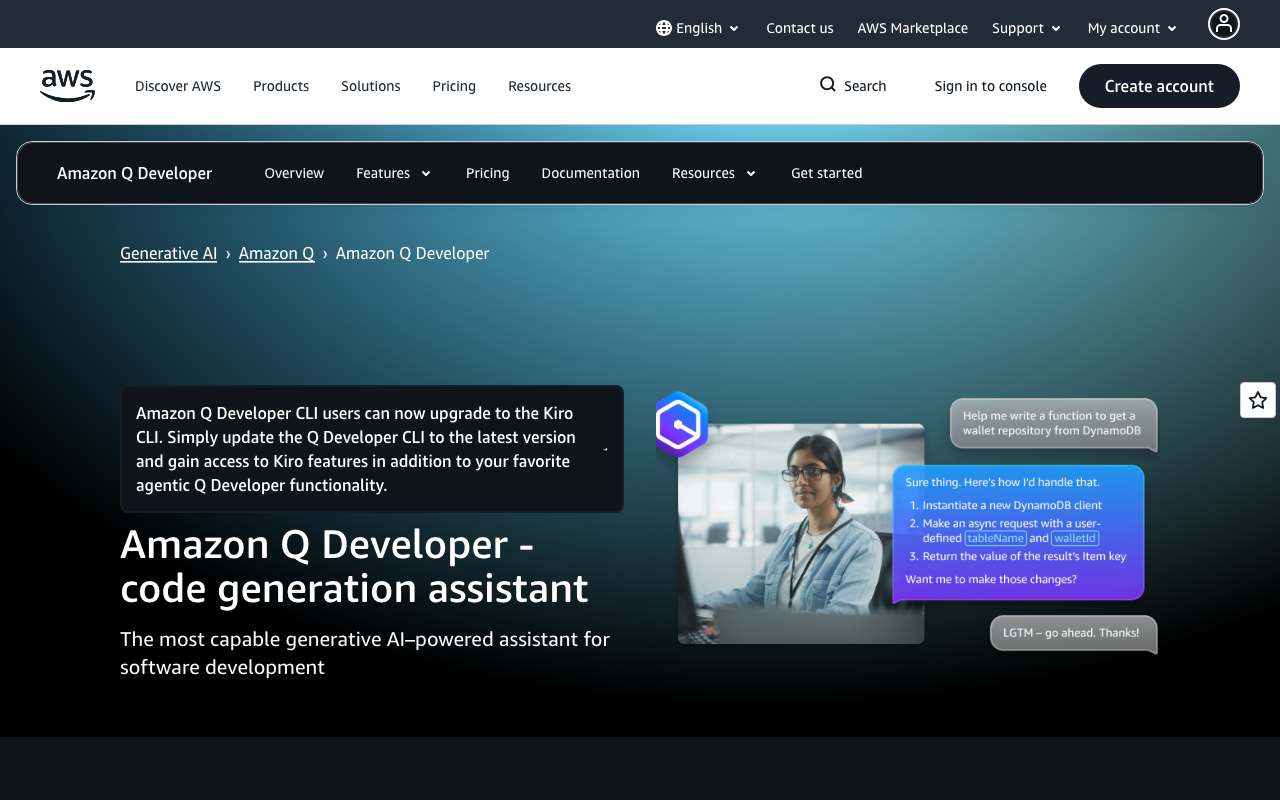
Amazon Q Developer is AWS’s unified AI development assistant. It is not just a code review tool — it is a comprehensive platform that covers code generation, code review, security scanning, code transformation, and natural language interaction with AWS services. For teams already invested in the AWS ecosystem, it is the most natural choice for automated code review.
What Amazon Q Developer does
Amazon Q Developer operates across five core capabilities, each relevant to different stages of the development workflow.
Code review and suggestions. When connected to a GitHub or GitLab repository, Amazon Q Developer automatically reviews pull requests. It analyzes code changes for bugs, performance issues, security vulnerabilities, and adherence to best practices. The review covers error handling patterns, resource management, null safety, concurrency issues, and AWS-specific anti-patterns. Comments appear directly on the pull request with specific line-level feedback and suggested fixes.
Security scanning. The security scanning engine leverages AWS’s extensive knowledge of cloud security patterns. It detects exposed credentials, insecure API configurations, overly permissive IAM policies, hardcoded secrets, injection vulnerabilities, and common OWASP Top 10 patterns across 15+ programming languages. Each finding includes specific remediation guidance, often with AWS-native solutions. Reference tracking identifies when generated code matches open-source patterns and flags the associated license for compliance management.
Code generation. Amazon Q Developer provides real-time code completions as you type in supported IDEs. Completions are context-aware, understanding your project structure, imported libraries, and coding patterns. The agentic coding mode goes further — you describe a task in natural language, and the agent autonomously implements it across multiple files, reading project context, planning changes, writing code, and presenting results for review.
Code transformation. One of Amazon Q Developer’s most distinctive capabilities is automated code modernization. The transformation agent can upgrade Java applications from version 8 or 11 to version 17 or 21, updating deprecated APIs, upgrading libraries and frameworks, and refactoring code to use modern Java features. It also supports .NET Framework to cross-platform .NET modernization. What typically takes development teams weeks or months of manual effort can be completed in hours.
AWS service expertise. Amazon Q Developer lives inside the AWS Management Console as a chat widget, answering questions about your AWS resources, costs, service configurations, and architecture decisions. It understands IAM policies, CloudFormation templates, CDK constructs, and AWS SDK patterns at a level that general-purpose AI tools cannot match.
Setting up Amazon Q Developer
IDE integration (VS Code and JetBrains)
The most common way to start using Amazon Q Developer is through IDE integration. Here is how to set it up in VS Code.
Step 1: Install the Amazon Q extension from the VS Code marketplace. Search for “Amazon Q” and install the extension published by Amazon Web Services.
Step 2: Authenticate with AWS. You have two options:
- AWS Builder ID (free, for individual use): Click “Sign in with AWS Builder ID” in the Amazon Q panel. This creates a free account tied to your email and gives you access to the free tier.
- AWS IAM Identity Center (for organizations): Click “Sign in with IAM Identity Center” and enter your organization’s start URL. This connects to your company’s AWS account and enables Pro features if your organization has a subscription.
Step 3: Configure settings. Open VS Code settings and search for “Amazon Q” to customize behavior:
{
  "amazonQ.shareCodeWhispererContentWithAWS": false,
  "amazonQ.includeSuggestionsWithCodeReferences": true,
  "amazonQ.showInlineCompletions": true
}
For JetBrains IDEs (IntelliJ IDEA, PyCharm, WebStorm, etc.), the process is similar. Install the Amazon Q plugin from the JetBrains Marketplace, then authenticate through the plugin’s settings panel.
AWS Console integration
Amazon Q Developer is available directly in the AWS Management Console without any additional setup. Look for the Amazon Q icon in the bottom-right corner of the console. Clicking it opens a chat panel where you can ask questions about your AWS resources, troubleshoot issues, and get architecture recommendations.
To enable Amazon Q for your organization in the console:
- Navigate to the Amazon Q Developer settings in the AWS Management Console
- Set up IAM Identity Center if not already configured
- Create a Pro subscription profile and assign users
- Configure organizational policies for code generation and data handling
CI/CD pipeline integration
To enable Amazon Q Developer’s automated code review on pull requests, connect it to your source code repository:
- Navigate to the Amazon Q Developer console in AWS
- Select “Code review” from the left navigation
- Click “Associate repository” and choose GitHub or GitLab
- Authorize the Amazon Q GitHub App or configure the GitLab integration
- Select the repositories you want Amazon Q to review
Once associated, Amazon Q Developer will automatically review every pull request opened against the connected repositories. Review comments appear directly on the PR within a few minutes.
Code review features in depth
Amazon Q Developer’s code review analyzes pull requests across several dimensions. Understanding what it checks helps you evaluate whether it meets your team’s needs.
Automated PR review. When a PR is opened, Amazon Q Developer analyzes the diff and posts comments on specific lines. It generates observations about potential bugs, suggests improvements, and flags patterns that deviate from best practices. Here is an example of the kind of issue it catches:
# Amazon Q would flag this code
def get_user_data(user_id):
    response = dynamodb_table.get_item(Key={'userId': user_id})
    # Bug: no check for 'Item' key in response
    # DynamoDB returns empty response if item doesn't exist
    user_data = response['Item']
    return user_data

# Amazon Q suggested fix
def get_user_data(user_id):
    response = dynamodb_table.get_item(Key={'userId': user_id})
    if 'Item' not in response:
        raise UserNotFoundError(f"User {user_id} not found")
    user_data = response['Item']
    return user_data
Security vulnerability detection. The security scanner identifies common vulnerability patterns and AWS-specific security issues:
# Amazon Q flags: hardcoded credentials
aws_access_key = "AKIAIOSFODNN7EXAMPLE"
aws_secret_key = "wJalrXUtnFEMI/K7MDENG/bPxRfiCYEXAMPLEKEY"

# Amazon Q flags: overly permissive IAM policy
iam_policy = {
    "Version": "2012-10-17",
    "Statement": [{
        "Effect": "Allow",
        "Action": "*",        # Too permissive
        "Resource": "*"       # Too permissive
    }]
}

# Amazon Q suggested fix: least-privilege policy
iam_policy = {
    "Version": "2012-10-17",
    "Statement": [{
        "Effect": "Allow",
        "Action": [
            "s3:GetObject",
            "s3:PutObject"
        ],
        "Resource": "arn:aws:s3:::my-bucket/*"
    }]
}
AWS best practice checks. Amazon Q Developer understands AWS service patterns and flags common mistakes that general-purpose review tools miss:
- Missing error handling on AWS SDK calls
- Inefficient DynamoDB query patterns (scans instead of queries)
- Lambda function cold start issues (heavy imports outside handler)
- S3 bucket configurations without encryption
- CloudFormation templates with missing deletion policies
- Security group rules that are overly permissive
Code quality suggestions. Beyond security, Amazon Q Developer reviews code for maintainability, performance, and correctness. It checks for resource leaks, race conditions, unhandled exceptions, inefficient algorithms, and dead code.
Pricing
Amazon Q Developer offers two tiers with clear boundaries between them.
Free tier (AWS Builder ID or IAM users):
- Code completions and suggestions in the IDE
- 50 chat interactions per month
- 10 agent invocations per month
- Security scanning with reference tracking
- 1,000 lines of code transformation per month
- 25 AWS account queries per month
- CLI completions for public documentation
The free tier is genuinely functional for individual developers exploring AWS or working on small projects. However, 50 chat interactions per month is roughly two per working day, and 10 agent invocations is about twice per week. For daily professional use, you will hit these limits quickly.
Pro tier ($19/user/month):
- Unlimited code completions
- Unlimited chat interactions
- Unlimited agent invocations
- Advanced code review and transformation
- Full security scanning with IP indemnity
- 4,000 lines of code transformation per month
- AWS resource optimization
- Enterprise admin controls and SSO
- Data opt-out from model training
- Codebase customization
The Pro tier’s IP indemnity is notable — Amazon will defend your team if someone claims that AI-generated code infringes on a license. This is the same protection that GitHub Copilot Enterprise offers, but at a lower price point ($19/user/month vs $39/user/month for Copilot Enterprise).
For a 20-developer team, the Pro tier costs $380/month. For comparison, that is less than most dedicated code review tools charge for the same team size.
Amazon CodeGuru legacy
Amazon CodeGuru was the predecessor to Amazon Q Developer’s code review capabilities. Understanding what it was and where it stands today is important for teams that may still be using it or evaluating migration options.
What CodeGuru was
CodeGuru launched in 2019 as two distinct services:
CodeGuru Reviewer analyzed pull requests for Java and Python code. It used machine learning models trained on millions of code reviews from Amazon’s internal codebases and open-source projects. It detected common issues like resource leaks (unclosed database connections, file handles), concurrency bugs (race conditions, deadlocks), input validation gaps, and AWS SDK usage anti-patterns. CodeGuru Reviewer integrated with GitHub, GitHub Enterprise, Bitbucket, and AWS CodeCommit.
CodeGuru Profiler monitored application performance in production. It identified the most expensive methods in your application, detected CPU and latency anomalies, and recommended optimizations. It worked with JVM-based applications running on EC2, ECS, EKS, Lambda, and on-premises servers.
Migration path to Amazon Q Developer
AWS has officially recommended migrating from CodeGuru Reviewer to Amazon Q Developer. The migration is not a 1:1 replacement — Amazon Q Developer is a broader platform that covers code review as one of many capabilities.
Key differences teams will encounter during migration:
| Aspect | CodeGuru Reviewer | Amazon Q Developer |
|---|---|---|
| Languages | Java, Python | 15+ languages |
| Code review | PR-level analysis | PR-level + IDE inline |
| Security scanning | Basic vulnerability detection | Comprehensive SAST |
| Code generation | Not available | Full code completion + agentic coding |
| Pricing model | Per lines of code scanned | Per user per month |
| AWS integration | CodeCommit, GitHub, Bitbucket | GitHub, GitLab, IDE, CLI, Console |
| Code transformation | Not available | Java and .NET modernization |
To migrate, teams should:
- Enable Amazon Q Developer in their AWS account
- Associate the same repositories that were connected to CodeGuru Reviewer
- Verify that Amazon Q Developer’s reviews cover the same issue categories
- Disable CodeGuru Reviewer associations once satisfied with Q Developer’s coverage
- Update any CI/CD pipeline steps that referenced CodeGuru Reviewer APIs
CodeGuru Profiler still available
While CodeGuru Reviewer has been superseded, CodeGuru Profiler continues to operate as a standalone service. It remains the best option for JVM application profiling within the AWS ecosystem. Teams using Profiler do not need to migrate — it is still supported and receiving updates.
CodeGuru Profiler pricing is based on active profiling groups, starting at $0.005 per sampling hour. For a single profiling group running continuously, this works out to roughly $3.65 per month.
Timeline
- 2019: CodeGuru Reviewer and Profiler launched
- 2023: Amazon Q platform announced at re:Invent
- 2024: Amazon Q Developer designated as CodeGuru Reviewer successor
- 2024-2025: Migration period with both services available
- 2025-2026: CodeGuru Reviewer entering maintenance mode; no new feature development
Teams still running CodeGuru Reviewer should plan their migration to Amazon Q Developer. The underlying ML models powering CodeGuru Reviewer are no longer receiving significant updates, which means its detection capabilities will gradually fall behind Amazon Q Developer’s actively developed analysis engine.
CI/CD integration with AWS services
One of the biggest advantages of building on AWS is the native CI/CD toolchain. Amazon Q Developer integrates directly with GitHub and GitLab for PR-level review, but many AWS teams also want to incorporate code quality and security scanning into their AWS CodePipeline and CodeBuild workflows. This section covers how to set up both Amazon Q Developer and third-party review tools within AWS CI/CD pipelines.
AWS CodePipeline setup
AWS CodePipeline orchestrates your build, test, and deploy stages. While Amazon Q Developer’s PR review runs as a separate integration (via the GitHub/GitLab App), you can add security scanning and code quality checks as CodeBuild stages within your pipeline.
Here is a CodePipeline configuration that includes a security scanning stage using Semgrep:
# cloudformation/pipeline.yaml
AWSTemplateFormatVersion: '2010-09-09'
Description: CodePipeline with security scanning stage

Resources:
  Pipeline:
    Type: AWS::CodePipeline::Pipeline
    Properties:
      Name: app-pipeline-with-review
      RoleArn: !GetAtt PipelineRole.Arn
      Stages:
        - Name: Source
          Actions:
            - Name: GitHubSource
              ActionTypeId:
                Category: Source
                Owner: ThirdParty
                Provider: GitHub
                Version: '1'
              Configuration:
                Owner: !Ref GitHubOwner
                Repo: !Ref GitHubRepo
                Branch: main
                OAuthToken: !Ref GitHubToken
              OutputArtifacts:
                - Name: SourceOutput

        - Name: SecurityScan
          Actions:
            - Name: SemgrepScan
              ActionTypeId:
                Category: Build
                Owner: AWS
                Provider: CodeBuild
                Version: '1'
              Configuration:
                ProjectName: !Ref SemgrepScanProject
              InputArtifacts:
                - Name: SourceOutput
              OutputArtifacts:
                - Name: ScanOutput

        - Name: Build
          Actions:
            - Name: BuildApp
              ActionTypeId:
                Category: Build
                Owner: AWS
                Provider: CodeBuild
                Version: '1'
              Configuration:
                ProjectName: !Ref BuildProject
              InputArtifacts:
                - Name: SourceOutput
              OutputArtifacts:
                - Name: BuildOutput

        - Name: Deploy
          Actions:
            - Name: DeployToECS
              ActionTypeId:
                Category: Deploy
                Owner: AWS
                Provider: ECS
                Version: '1'
              Configuration:
                ClusterName: !Ref ECSCluster
                ServiceName: !Ref ECSService
              InputArtifacts:
                - Name: BuildOutput
AWS CodeBuild configuration
CodeBuild executes the actual scanning and build steps. Here is a buildspec that runs Semgrep security scanning and reports results:
# buildspec-security.yml
version: 0.2

env:
  secrets-manager:
    SEMGREP_APP_TOKEN: "semgrep/app-token:SEMGREP_APP_TOKEN"

phases:
  install:
    runtime-versions:
      python: 3.12
    commands:
      - pip install semgrep

  pre_build:
    commands:
      - echo "Running security scan on $(date)"
      - echo "Source version $CODEBUILD_RESOLVED_SOURCE_VERSION"

  build:
    commands:
      # Run Semgrep with security-focused rulesets
      - semgrep scan
        --config p/security-audit
        --config p/owasp-top-ten
        --config p/aws-lambda-best-practices
        --sarif
        --output semgrep-results.sarif
        --error
        --severity ERROR
      # Upload results to Semgrep Cloud (optional)
      - semgrep ci --suppress-errors || true

  post_build:
    commands:
      - echo "Security scan completed"
      - |
        if [ $CODEBUILD_BUILD_SUCCEEDING -eq 0 ]; then
          echo "SECURITY SCAN FAILED - high severity findings detected"
          echo "Review semgrep-results.sarif for details"
        fi

artifacts:
  files:
    - semgrep-results.sarif
  name: security-scan-results

reports:
  semgrep-report:
    files:
      - semgrep-results.sarif
    file-format: SARIFREPORT
Here is a buildspec for running Snyk Code scanning in CodeBuild:
# buildspec-snyk.yml
version: 0.2

env:
  secrets-manager:
    SNYK_TOKEN: "snyk/token:SNYK_TOKEN"

phases:
  install:
    commands:
      - npm install -g snyk

  pre_build:
    commands:
      - snyk auth $SNYK_TOKEN

  build:
    commands:
      # Run Snyk Code for SAST
      - snyk code test
        --sarif-file-output=snyk-code-results.sarif
        --severity-threshold=high
      # Run Snyk for dependency vulnerabilities (SCA)
      - snyk test
        --sarif-file-output=snyk-sca-results.sarif
        --severity-threshold=high
        || true

  post_build:
    commands:
      - echo "Snyk scanning completed"

artifacts:
  files:
    - snyk-code-results.sarif
    - snyk-sca-results.sarif

reports:
  snyk-report:
    files:
      - snyk-code-results.sarif
      - snyk-sca-results.sarif
    file-format: SARIFREPORT
Comprehensive buildspec with multiple tools
For teams that want a multi-layered approach, here is a buildspec that combines Amazon Q Developer security scanning with Semgrep and custom checks:
# buildspec-full-review.yml
version: 0.2

env:
  secrets-manager:
    SEMGREP_APP_TOKEN: "semgrep/app-token:SEMGREP_APP_TOKEN"
  variables:
    SCAN_SEVERITY: "ERROR"
    FAIL_ON_FINDINGS: "true"

phases:
  install:
    runtime-versions:
      python: 3.12
      nodejs: 20
    commands:
      - pip install semgrep cfn-lint checkov
      - npm install -g @aws-cdk/cfnspec

  pre_build:
    commands:
      - echo "Starting comprehensive code review pipeline"
      - mkdir -p reports

  build:
    commands:
      # Stage 1 - Static analysis with Semgrep
      - echo "=== Stage 1 - Semgrep Security Scan ==="
      - semgrep scan
        --config p/security-audit
        --config p/owasp-top-ten
        --config p/secrets
        --sarif --output reports/semgrep.sarif
        --severity $SCAN_SEVERITY
        || export SCAN_FAILED=true

      # Stage 2 - CloudFormation linting
      - echo "=== Stage 2 - CloudFormation Lint ==="
      - cfn-lint cloudformation/**/*.yaml
        --format sarif
        --output-file reports/cfn-lint.sarif
        || export SCAN_FAILED=true

      # Stage 3 - Infrastructure as Code security (Checkov)
      - echo "=== Stage 3 - IaC Security Scan ==="
      - checkov
        --directory .
        --framework cloudformation terraform
        --output sarif
        --output-file-path reports/
        --soft-fail
        --compact

      # Stage 4 - Custom AWS best practice checks
      - echo "=== Stage 4 - AWS Best Practice Checks ==="
      - |
        python3 << 'SCRIPT'
        import json
        import glob
        import sys

        issues = []

        # Check for hardcoded AWS account IDs
        for f in glob.glob("**/*.py", recursive=True):
            with open(f) as fh:
                for i, line in enumerate(fh, 1):
                    if "arn:aws:" in line and ":123456789012:" in line:
                        issues.append(f"{f}:{i}: Hardcoded AWS account ID")

        # Check for missing encryption in S3 bucket definitions
        for f in glob.glob("cloudformation/**/*.yaml", recursive=True):
            with open(f) as fh:
                content = fh.read()
                if "AWS::S3::Bucket" in content:
                    if "BucketEncryption" not in content:
                        issues.append(f"{f}: S3 bucket missing encryption config")

        if issues:
            print("AWS Best Practice Issues Found:")
            for issue in issues:
                print(f"  - {issue}")
            sys.exit(1) if "$FAIL_ON_FINDINGS" == "true" else None
        else:
            print("No AWS best practice issues found")
        SCRIPT

  post_build:
    commands:
      - echo "Review pipeline completed"
      - |
        if [ "$SCAN_FAILED" = "true" ] && [ "$FAIL_ON_FINDINGS" = "true" ]; then
          echo "BUILD FAILED: Security findings detected"
          exit 1
        fi

artifacts:
  files:
    - reports/**/*
  name: review-reports

reports:
  security-scan:
    files:
      - reports/semgrep.sarif
    file-format: SARIFREPORT
  cfn-lint:
    files:
      - reports/cfn-lint.sarif
    file-format: SARIFREPORT
Integration with GitHub and GitLab repos
Most AWS teams use GitHub or GitLab as their source code platform rather than AWS CodeCommit. Connecting external repositories to AWS CI/CD pipelines requires a source connection.
For GitHub, use AWS CodeStar Connections:
# cloudformation/github-connection.yaml
Resources:
  GitHubConnection:
    Type: AWS::CodeStarConnections::Connection
    Properties:
      ConnectionName: github-connection
      ProviderType: GitHub

  Pipeline:
    Type: AWS::CodePipeline::Pipeline
    Properties:
      Stages:
        - Name: Source
          Actions:
            - Name: GitHubSource
              ActionTypeId:
                Category: Source
                Owner: AWS
                Provider: CodeStarSourceConnection
                Version: '1'
              Configuration:
                ConnectionArn: !Ref GitHubConnection
                FullRepositoryId: "your-org/your-repo"
                BranchName: main
                DetectChanges: true
              OutputArtifacts:
                - Name: SourceOutput
After deploying this template, you need to complete the connection handshake in the AWS Console by navigating to Developer Tools, Settings, Connections and clicking “Update pending connection” to authorize access to your GitHub organization.
For GitLab, the process is similar using a CodeStar Connection with ProviderType: GitLabSelfManaged or by configuring a webhook that triggers the pipeline on push events.
Alternatives for AWS teams
Amazon Q Developer is the native option, but it is not the only option. Several platform-agnostic tools integrate well with AWS CI/CD pipelines and offer capabilities that Amazon Q Developer does not. Here is how the alternatives stack up for teams building on AWS.
CodeRabbit
CodeRabbit is the most widely adopted AI code review tool, with over 2 million repositories connected. It operates as a GitHub App (or GitLab/Bitbucket/Azure DevOps integration) that automatically reviews every pull request with AI-powered analysis.
Why AWS teams choose CodeRabbit: CodeRabbit provides deeper PR-level review than Amazon Q Developer. It generates structured PR walkthroughs, leaves inline comments with one-click fix suggestions, and supports natural language configuration through .coderabbit.yaml. For teams that want comprehensive code review beyond what Amazon Q Developer offers, CodeRabbit fills the gap.
CodeRabbit works seamlessly alongside AWS CI/CD pipelines. Since it runs as a GitHub/GitLab App on CodeRabbit’s infrastructure, it does not consume CodeBuild minutes or require any AWS-side configuration. Your CodePipeline handles builds and deployments while CodeRabbit handles PR review in parallel.
# .coderabbit.yaml for AWS projects
language: en
tone_instructions: "Focus on AWS best practices, security issues, and
  infrastructure misconfigurations. Flag overly permissive IAM policies,
  missing encryption, and insecure S3 configurations."

reviews:
  profile: assertive
  path_instructions:
    - path: "cloudformation/**"
      instructions: "Review for security misconfigurations, missing
        encryption, overly permissive security groups, and resources
        without deletion policies."
    - path: "cdk/**"
      instructions: "Check CDK constructs for security best practices.
        Ensure L2 constructs are used where available. Flag overly
        broad IAM permissions."
    - path: "lambda/**"
      instructions: "Check for cold start issues, proper error handling,
        timeout configurations, and memory allocation."
    - path: "terraform/**"
      instructions: "Review for AWS provider best practices, state
        management configuration, and security group rules."
Pricing: Free tier covers unlimited repos. Pro plan is $24/user/month.
Semgrep
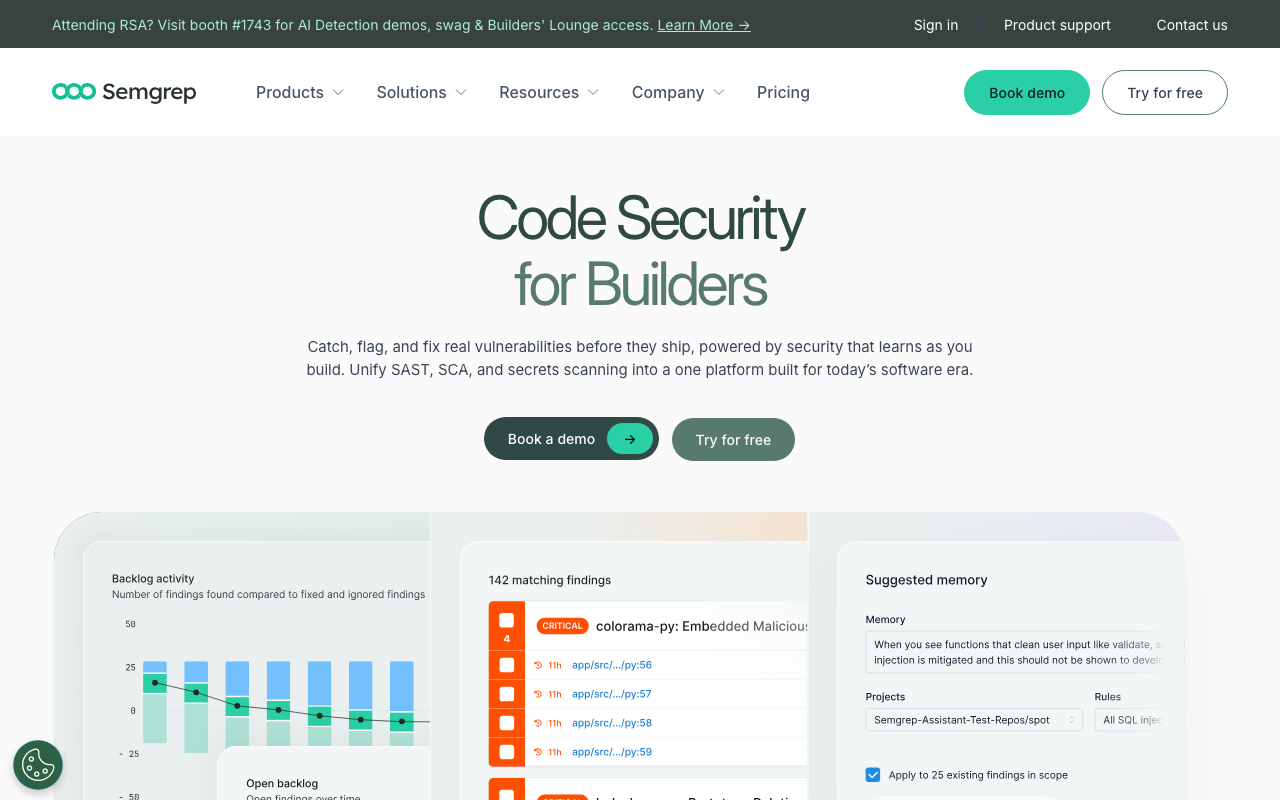
Semgrep is a rule-based static analysis tool with AI-powered triage (Semgrep Assistant). It is the best option for teams that want deterministic, customizable security scanning within their AWS pipelines.
Why AWS teams choose Semgrep: Semgrep has purpose-built rulesets for AWS security patterns. The p/aws-lambda-best-practices ruleset catches Lambda-specific issues. The p/terraform-aws ruleset identifies Terraform misconfigurations for AWS resources. Custom rules can be written in minutes to enforce organization-specific patterns.
Semgrep integrates directly into CodeBuild with minimal configuration:
# buildspec-semgrep.yml
version: 0.2

phases:
  install:
    commands:
      - pip install semgrep
  build:
    commands:
      - semgrep scan
        --config p/security-audit
        --config p/aws-lambda-best-practices
        --config p/terraform-aws
        --error
        --severity ERROR
Pricing: Free for up to 10 contributors. Paid plans start at approximately $35/contributor/month.
Snyk Code
Snyk Code provides deep security scanning with cross-file dataflow analysis. It traces how user input flows through your application and identifies where it reaches dangerous sinks like database queries, file system operations, or AWS SDK calls.
Why AWS teams choose Snyk Code: Snyk’s strength is finding security vulnerabilities that require understanding data flow across multiple files and functions. For AWS applications that process user input and interact with DynamoDB, S3, SQS, and other services, Snyk Code can trace tainted input from API Gateway through Lambda handlers to downstream AWS service calls, catching injection and access control issues along the way.
Snyk also provides SCA (Software Composition Analysis) for dependency vulnerability scanning, container image scanning, and IaC scanning for CloudFormation and Terraform — making it a comprehensive security platform for AWS environments.
# buildspec-snyk-comprehensive.yml
version: 0.2

env:
  secrets-manager:
    SNYK_TOKEN: "snyk/token:SNYK_TOKEN"

phases:
  install:
    commands:
      - npm install -g snyk
      - snyk auth $SNYK_TOKEN
  build:
    commands:
      # SAST scanning
      - snyk code test --severity-threshold=high
      # Dependency scanning
      - snyk test --severity-threshold=high || true
      # IaC scanning for CloudFormation and Terraform
      - snyk iac test cloudformation/ terraform/
        --severity-threshold=medium || true
Pricing: Free for 1 user with limited scans. Team plan starts at $25/dev/month.
SonarQube
SonarQube is the deepest rule-based analysis platform available, with 6,500+ rules across 35+ languages. For AWS teams that need quality gate enforcement and compliance reporting, SonarQube provides capabilities that AI-only tools lack.
Why AWS teams choose SonarQube: SonarQube’s quality gates can block deployments that do not meet defined thresholds for code coverage, duplication, security findings, and code smells. It maps findings to OWASP Top 10, CWE, and PCI DSS requirements, generating audit trails that satisfy compliance teams. Self-hosted SonarQube runs on EC2 or ECS, keeping all code analysis within your AWS account.
Pricing: Community Build is free. Cloud plans start at approximately $150/year. Self-hosted Developer Edition starts at approximately $2,500/year.
Comparison table
| Feature | Amazon Q Developer | CodeRabbit | Semgrep | Snyk Code | SonarQube |
|---|---|---|---|---|---|
| AI PR review | Yes | Yes (strongest) | No (rule-based + AI triage) | No (SAST-focused) | No (rule-based) |
| Security scanning | Yes | Basic | Yes (strongest rules) | Yes (strongest dataflow) | Yes |
| AWS-specific rules | Yes (native) | Via instructions | Yes (AWS rulesets) | Yes (IaC scanning) | Limited |
| IaC scanning | Basic | Via instructions | Yes | Yes | Limited |
| Code generation | Yes | No | No | No | No |
| Quality gates | No | No | Yes (CI/CD gating) | Yes (CI/CD gating) | Yes (strongest) |
| Compliance reporting | No | No | Limited | Yes | Yes (strongest) |
| Self-hosted option | No | No | Yes (OSS) | No | Yes |
| Free tier | Yes (limited) | Yes (unlimited) | Yes (10 devs) | Yes (1 user) | Yes (Community) |
| Price (per user/mo) | $19 | $24 | ~$35 | $25 | LOC-based |
| CodeBuild integration | Native | Not needed (App) | Easy | Easy | Moderate |
For most AWS teams, the strongest setup combines Amazon Q Developer for AWS-specific intelligence and code generation with one dedicated review or security tool. CodeRabbit + Amazon Q Developer is the best combination for comprehensive review. Semgrep + Amazon Q Developer is the best combination for security-focused teams.
Amazon Q Developer vs GitHub Copilot
This is the comparison most AWS teams are evaluating. Both tools cost $19/user/month at the base paid tier, both provide code completion and code review, and both are backed by major cloud platforms. The differences matter.
Feature comparison
| Capability | Amazon Q Developer Pro ($19/mo) | GitHub Copilot Business ($19/mo) |
|---|---|---|
| Code completion | Unlimited | Unlimited |
| Chat interactions | Unlimited | Unlimited |
| Agent/agentic coding | Unlimited | Limited |
| Code review on PRs | Yes (GitHub, GitLab) | Yes (GitHub only) |
| Security scanning | Yes (15+ languages) | Basic (via CodeQL) |
| Code transformation | Yes (Java, .NET) | No |
| IaC understanding | Yes (CFN, CDK, Terraform) | Basic |
| IP indemnity | Yes | Yes |
| Model selection | AWS-managed routing | GPT-4o, Claude, Gemini |
| IDE support | VS Code, JetBrains, Visual Studio, Eclipse | VS Code, JetBrains, Visual Studio, Neovim, Xcode |
| Platform integration | Deep AWS Console integration | Deep GitHub integration |
AWS-specific advantages of Amazon Q Developer
Amazon Q Developer has clear advantages for teams whose infrastructure runs on AWS:
IAM policy generation. When writing code that interacts with AWS services, Amazon Q Developer generates least-privilege IAM policies based on the actual API calls your code makes. GitHub Copilot can generate IAM policies, but without the deep AWS context, they tend to be more permissive.
CloudFormation and CDK expertise. Amazon Q Developer understands the relationships between AWS resources, property constraints, and best practices for CloudFormation templates and CDK constructs. It catches invalid property combinations, missing required properties, and deprecated resource types that Copilot would not flag.
AWS SDK patterns. For languages like Python (boto3), JavaScript (AWS SDK v3), and Java (AWS SDK v2), Amazon Q Developer understands service-specific patterns — proper pagination, retry configuration, error handling, and resource cleanup. These are the kinds of patterns where generic code completion falls short.
Cost optimization. Through the AWS Console integration, Amazon Q Developer can analyze your running infrastructure and suggest cost optimization opportunities. This is a capability GitHub Copilot does not offer at all.
When to use each
Choose Amazon Q Developer when:
- Your primary cloud platform is AWS
- Your team works extensively with CloudFormation, CDK, or Terraform for AWS
- You need code transformation for Java or .NET modernization
- You want AI assistance within the AWS Console for infrastructure questions
- Cost optimization and AWS-specific security scanning are priorities
Choose GitHub Copilot when:
- Your team uses multiple cloud providers or is not heavily AWS-dependent
- You want to choose between different AI models (GPT-4o, Claude, Gemini)
- Your development workflow is deeply GitHub-native
- You need IDE support beyond the IDEs Amazon Q supports (Neovim, Xcode)
- You prioritize general-purpose coding assistance over cloud-specific features
Use both when:
- Your team is large enough that the combined $38/user/month is justified
- You want the best general-purpose coding assistance (Copilot) alongside AWS-specific intelligence (Q Developer)
- Different team members work on different parts of the stack — frontend developers might prefer Copilot while backend/infrastructure developers prefer Q Developer
In enterprise bakeoff comparisons, GitHub Copilot has shown higher developer adoption rates and satisfaction scores than Amazon Q Developer for general coding tasks. However, for AWS-specific work — writing Lambda functions, configuring IAM, building CDK constructs — Amazon Q Developer’s contextual understanding is significantly stronger.
Best practices for AWS code review
Setting up the tools is only half the challenge. How you configure and use them determines whether they actually improve code quality or just add noise to your workflow. Here are the practices that make the biggest difference for AWS teams.
Security scanning for Infrastructure as Code
Infrastructure as Code (IaC) is where many of the highest-impact security issues hide. A misconfigured security group, an overly permissive IAM policy, or an unencrypted S3 bucket can expose your entire environment. Every AWS team should scan IaC as part of their code review process.
For CloudFormation templates, use cfn-lint for syntax and best practice validation, and Checkov or Semgrep for security scanning:
# Example: Secure CloudFormation S3 bucket definition
# Code review should verify all of these properties are present
Resources:
  SecureBucket:
    Type: AWS::S3::Bucket
    DeletionPolicy: Retain
    UpdateReplacePolicy: Retain
    Properties:
      BucketName: !Sub "${AWS::StackName}-data"
      BucketEncryption:
        ServerSideEncryptionConfiguration:
          - ServerSideEncryptionByDefault:
              SSEAlgorithm: aws:kms
              KMSMasterKeyID: !Ref BucketKMSKey
      PublicAccessBlockConfiguration:
        BlockPublicAcls: true
        BlockPublicPolicy: true
        IgnorePublicAcls: true
        RestrictPublicBuckets: true
      VersioningConfiguration:
        Status: Enabled
      LoggingConfiguration:
        DestinationBucketName: !Ref LoggingBucket
        LogFilePrefix: s3-access-logs/
For CDK, the same principles apply but in code form:
// CDK: Secure S3 bucket with all best practices
import * as s3 from 'aws-cdk-lib/aws-s3';
import * as kms from 'aws-cdk-lib/aws-kms';

const encryptionKey = new kms.Key(this, 'BucketKey', {
  enableKeyRotation: true,
  description: 'KMS key for S3 bucket encryption',
});

const secureBucket = new s3.Bucket(this, 'SecureBucket', {
  encryption: s3.BucketEncryption.KMS,
  encryptionKey,
  blockPublicAccess: s3.BlockPublicAccess.BLOCK_ALL,
  versioned: true,
  enforceSSL: true,
  removalPolicy: cdk.RemovalPolicy.RETAIN,
  serverAccessLogsBucket: loggingBucket,
  serverAccessLogsPrefix: 's3-access-logs/',
});
For Terraform, Semgrep’s p/terraform-aws ruleset catches common misconfigurations:
# Terraform: Secure S3 bucket configuration
# Code review should flag any bucket missing these settings

resource "aws_s3_bucket" "secure_bucket" {
  bucket = "${var.project_name}-data"
}

resource "aws_s3_bucket_server_side_encryption_configuration" "secure_bucket" {
  bucket = aws_s3_bucket.secure_bucket.id

  rule {
    apply_server_side_encryption_by_default {
      sse_algorithm     = "aws:kms"
      kms_master_key_id = aws_kms_key.bucket_key.arn
    }
  }
}

resource "aws_s3_bucket_public_access_block" "secure_bucket" {
  bucket = aws_s3_bucket.secure_bucket.id

  block_public_acls       = true
  block_public_policy     = true
  ignore_public_acls      = true
  restrict_public_buckets = true
}

resource "aws_s3_bucket_versioning" "secure_bucket" {
  bucket = aws_s3_bucket.secure_bucket.id
  versioning_configuration {
    status = "Enabled"
  }
}
AWS SDK usage patterns
Code review for AWS SDK usage should focus on several common anti-patterns that cause production issues.
Missing pagination. Many AWS API calls return paginated results. Code that does not handle pagination will silently return incomplete data:
# BAD: Missing pagination - only returns first page
def list_all_instances():
    ec2 = boto3.client('ec2')
    response = ec2.describe_instances()
    return response['Reservations']

# GOOD: Handle pagination properly
def list_all_instances():
    ec2 = boto3.client('ec2')
    paginator = ec2.get_paginator('describe_instances')
    instances = []
    for page in paginator.paginate():
        for reservation in page['Reservations']:
            instances.extend(reservation['Instances'])
    return instances
Missing error handling and retries. AWS SDK calls can fail for transient reasons (throttling, network issues). Production code must handle these:
# BAD: No error handling, no retry configuration
def put_item(table_name, item):
    dynamodb = boto3.resource('dynamodb')
    table = dynamodb.Table(table_name)
    table.put_item(Item=item)

# GOOD: Proper error handling with retries
from botocore.config import Config
from botocore.exceptions import ClientError
import logging

logger = logging.getLogger(__name__)

boto_config = Config(
    retries={'max_attempts': 3, 'mode': 'adaptive'},
    connect_timeout=5,
    read_timeout=10
)

def put_item(table_name, item):
    dynamodb = boto3.resource('dynamodb', config=boto_config)
    table = dynamodb.Table(table_name)
    try:
        table.put_item(Item=item)
    except ClientError as e:
        error_code = e.response['Error']['Code']
        if error_code == 'ConditionalCheckFailedException':
            logger.warning(f"Item already exists: {item.get('pk')}")
            raise
        elif error_code in ('ProvisionedThroughputExceededException',
                            'ThrottlingException'):
            logger.error(f"DynamoDB throttling: {error_code}")
            raise
        else:
            logger.error(f"DynamoDB error: {e}")
            raise
Lambda cold start optimization. Code review should verify that Lambda functions follow cold start best practices:
# BAD: Heavy imports inside handler = repeated cold start penalty
def handler(event, context):
    import pandas as pd
    import numpy as np
    # These imports run on every cold start

    data = pd.DataFrame(event['records'])
    return {'statusCode': 200}

# GOOD: Imports at module level, heavy initialization outside handler
import boto3
import json
import logging

# Initialize outside handler - runs once per cold start
logger = logging.getLogger()
logger.setLevel(logging.INFO)
dynamodb = boto3.resource('dynamodb')
table = dynamodb.Table(os.environ['TABLE_NAME'])

def handler(event, context):
    # Handler only contains per-invocation logic
    try:
        item = json.loads(event['body'])
        table.put_item(Item=item)
        return {'statusCode': 200, 'body': json.dumps({'status': 'ok'})}
    except Exception as e:
        logger.error(f"Error processing request: {e}")
        return {'statusCode': 500, 'body': json.dumps({'error': str(e)})}
Cost optimization review
Code review is an underused opportunity to catch cost issues before they reach production. AWS bills are often driven by code-level decisions that are invisible in infrastructure reviews.
DynamoDB scan vs query. A table scan reads every item in the table and costs proportionally. Queries read only the items that match the key condition. Code review should flag scans on large tables:
# BAD: Full table scan - costs scale with table size
def find_user_orders(user_id):
    response = table.scan(
        FilterExpression=Attr('userId').eq(user_id)
    )
    return response['Items']

# GOOD: Query on partition key - costs scale with result size
def find_user_orders(user_id):
    response = table.query(
        KeyConditionExpression=Key('userId').eq(user_id)
    )
    return response['Items']
S3 storage class selection. Code that uploads objects to S3 should consider the appropriate storage class based on access patterns:
# Review should ask: What is the access pattern for these files?
# If infrequently accessed, use a cheaper storage class

# For frequently accessed data
s3.put_object(Bucket=bucket, Key=key, Body=data)

# For infrequently accessed data (>30 days between accesses)
s3.put_object(
    Bucket=bucket, Key=key, Body=data,
    StorageClass='STANDARD_IA'
)

# For archival data
s3.put_object(
    Bucket=bucket, Key=key, Body=data,
    StorageClass='GLACIER_IR'  # Instant retrieval
)
Lambda memory and timeout configuration. Over-provisioned Lambda functions waste money. Under-provisioned ones fail or run slowly. Code review should verify these settings match actual requirements:
# CloudFormation: Lambda function with reviewed settings
Resources:
  ProcessOrderFunction:
    Type: AWS::Lambda::Function
    Properties:
      # Review should verify these match actual requirements
      MemorySize: 256    # Run power tuning to find optimal
      Timeout: 30        # Should be 2-3x average execution time
      ReservedConcurrentExecutions: 100  # Prevent runaway costs
      Environment:
        Variables:
          POWERTOOLS_SERVICE_NAME: order-service
Compliance checks
For regulated industries, code review must verify that code changes comply with organizational security policies. Here is how to encode compliance requirements into your automated review pipeline:
# .semgrep/compliance-rules.yaml
rules:
  - id: require-encryption-at-rest
    pattern: |
      boto3.resource('dynamodb')
    message: >
      DynamoDB tables must use encryption at rest with a
      customer-managed KMS key per compliance policy SEC-004.
      Verify the table has SSESpecification configured with
      SSEType: KMS.
    severity: WARNING
    languages: [python]

  - id: no-public-s3-objects
    patterns:
      - pattern: |
          $CLIENT.put_object(..., ACL="public-read", ...)
      - pattern: |
          $CLIENT.put_object_acl(..., ACL="public-read", ...)
    message: >
      Public S3 objects are prohibited per compliance policy
      SEC-001. All objects must use private ACLs.
    severity: ERROR
    languages: [python]

  - id: require-vpc-lambda
    pattern: |
      AWS::Lambda::Function
    message: >
      Lambda functions processing sensitive data must be
      deployed in a VPC per compliance policy NET-002.
      Verify VpcConfig is present.
    severity: WARNING
    languages: [yaml]
These custom rules can be maintained centrally by your security team and distributed across all repositories via Semgrep’s registry or a shared Git repository.
Putting it all together
The AWS AI code review landscape has consolidated around Amazon Q Developer as the native option, but the strongest setups combine multiple tools. Here is a recommended architecture for different team sizes and needs.
Small teams (1-10 developers):
- Amazon Q Developer Free for code completion and AWS-specific assistance
- CodeRabbit Free for comprehensive AI PR review
- Total cost: $0
Mid-size teams (10-50 developers):
- Amazon Q Developer Pro ($19/user/month) for code completion, security scanning, and AWS expertise
- CodeRabbit Pro ($24/user/month) for comprehensive AI PR review with custom instructions
- Semgrep for deterministic security scanning in CodeBuild
- Total cost: $43/user/month + Semgrep (free for up to 10 contributors)
Enterprise teams (50+ developers):
- Amazon Q Developer Pro ($19/user/month) for code completion and code transformation
- CodeRabbit Enterprise for AI PR review with SSO and custom deployment
- Semgrep or Snyk Code for deep security scanning with compliance reporting
- SonarQube for quality gates and technical debt tracking
- Custom Semgrep rules for organization-specific compliance checks in CodeBuild
- Total cost: Varies, typically $50-100/user/month across all tools
The key principle is that no single tool covers everything. Amazon Q Developer is the best at understanding AWS services. CodeRabbit is the best at comprehensive PR review. Semgrep is the best at deterministic security rules. SonarQube is the best at quality gates and compliance. The right combination depends on what matters most to your team.
Start with the free tiers, measure what each tool catches that the others miss, and invest in the combination that delivers the most value for your specific codebase and workflow.
Further Reading
 Gitar
GitarComments are not enough
Gitar applies the fix, validates it in CI, and clears the queue.
See it on your repo Read our independent Gitar reviewFrequently Asked Questions
What happened to Amazon CodeGuru?
Amazon CodeGuru Reviewer was succeeded by Amazon Q Developer, which provides broader AI-powered code review, security scanning, and code generation capabilities. CodeGuru Profiler continues to operate for application performance profiling. Teams still using CodeGuru Reviewer should migrate to Amazon Q Developer.
What is Amazon Q Developer?
Amazon Q Developer is AWS's AI-powered development assistant. It provides code review, code generation, security scanning, code transformation (Java upgrades), and natural language chat about AWS services. It integrates with IDEs (VS Code, JetBrains), the AWS Console, and CI/CD pipelines.
How much does Amazon Q Developer cost?
Amazon Q Developer has a free tier (limited to individual use) and a Pro tier at $19/user/month. The free tier includes code suggestions and limited chat. Pro includes full code review, security scanning, and code transformation features.
Is Amazon Q Developer better than GitHub Copilot for AWS projects?
Amazon Q Developer has an advantage for AWS-heavy projects - it understands AWS services, SDKs, and infrastructure patterns. It can review CloudFormation, CDK, and Terraform code. GitHub Copilot is more general-purpose and has broader language/framework support. For AWS teams, using both can be complementary.
What are the alternatives to Amazon CodeGuru for AWS teams?
Alternatives include: Amazon Q Developer (direct successor), CodeRabbit (platform-agnostic AI review), Semgrep (rule-based SAST), Snyk Code (security-focused), and SonarQube. CodeRabbit and Semgrep work well in AWS CI/CD pipelines (CodePipeline, CodeBuild) without AWS vendor lock-in.
Explore More
 CodeRabbit Review
 Amazon Q Developer Review
 Semgrep Review
 Snyk Code Review
Related Articles
Free Newsletter
Stay ahead with AI dev tools
Weekly insights on AI code review, static analysis, and developer productivity. No spam, unsubscribe anytime.
Join developers getting weekly AI tool insights.
Related Articles
Is CodeRabbit Free for Open Source? Yes - And for Private Repos Too
CodeRabbit's free tier covers unlimited public and private repositories, not just open source. Here is exactly what the free plan includes, where the rate limits bite, and when to pay.
July 31, 2026
guideIs SonarLint Deprecated? No - Here's What Actually Happened
SonarLint was not deprecated. It was renamed to SonarQube for IDE on October 29, 2024, as part of a company-wide rebrand. Here is what changed, what did not, and what to install.
July 31, 2026
guideIs Semgrep Free for Commercial Use? Yes, With Two Catches
Semgrep Community Edition is LGPL-2.1 and free for commercial use. The paid tier is also free up to 10 contributors. Here is where the line actually falls and what you give up.
July 31, 2026