Semgrep vs SonarQube: SAST Tools Compared (2026)
Semgrep vs SonarQube - custom rules vs built-in coverage, pricing, open source editions, and security focus. Expert breakdown for engineering teams.
Published:
Last Updated:
Quick verdict
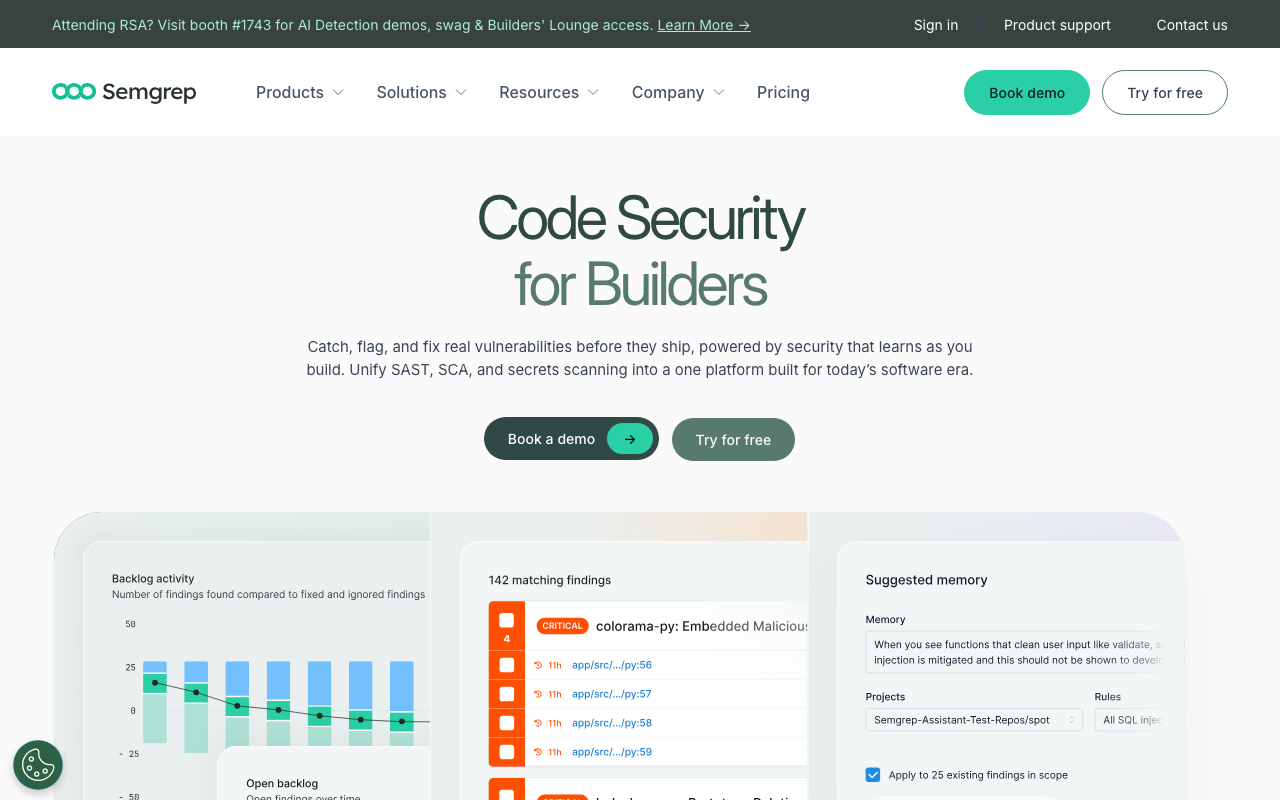
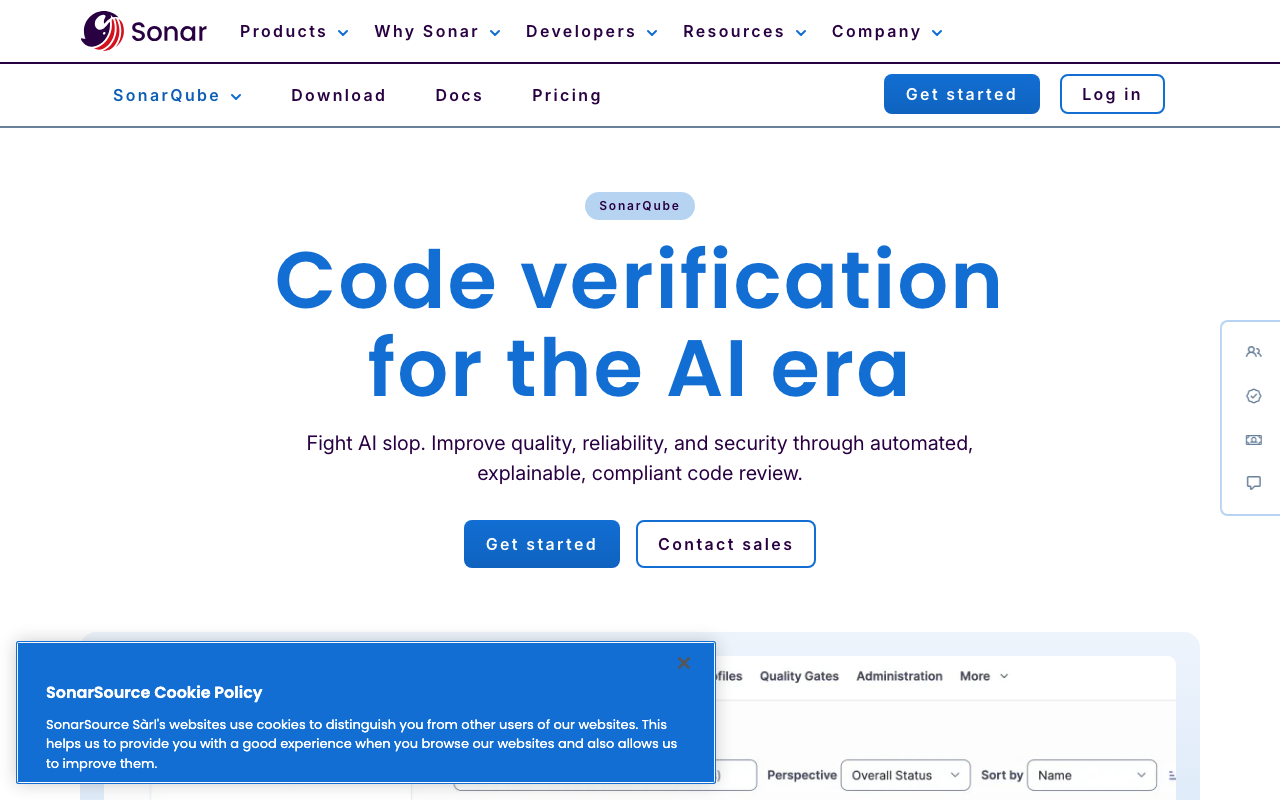
Semgrep and SonarQube solve different problems despite both being called “static analysis tools.” Semgrep is a security-first scanner built for AppSec teams that need custom rules, fast CI scans, and lightweight deployment. SonarQube is a code quality platform built for engineering teams that want comprehensive out-of-the-box analysis covering bugs, code smells, technical debt, duplication, and security in a single dashboard.
If security scanning is your primary goal, choose Semgrep. Its YAML-based custom rule authoring is the best in the industry, scans complete in seconds rather than minutes, and the AI-powered triage in Semgrep Assistant dramatically reduces false positive noise. The open-source CLI is free for commercial use, and the full platform is free for up to 10 contributors.
If code quality management is your primary goal, choose SonarQube. Its 6,000+ built-in rules, quality gate enforcement, technical debt tracking, and code coverage integration deliver more value on day one without any configuration. The Community Build is free and open source, and the Developer Edition starts at roughly $2,500/year.
If you want both security and quality coverage, run them together. Semgrep for security-specific scanning, SonarQube for broad code quality. Both have free tiers that make dual deployment cost-effective.
At-a-glance comparison
| Dimension | Semgrep | SonarQube |
|---|---|---|
| Primary focus | Security (SAST, SCA, Secrets) | Code quality + security |
| Tool category | SAST scanner | Code quality platform |
| Built-in rules | 20,000+ Pro / 2,800+ community | 6,000+ across 35+ languages |
| Custom rule authoring | Excellent - YAML-based, code-like | Functional - Java/XPath-based |
| Open source edition | Yes - Community Edition (LGPL-2.1) | Yes - Community Build |
| Pricing model | Per contributor/month | Per lines of code or cloud usage |
| Free tier | OSS CLI + full platform for 10 contributors | Community Build + Cloud free (50K LOC) |
| Paid starting price | $35/contributor/month (Team) | ~$2,500/year (Developer Server) |
| AI features | Semgrep Assistant (AI triage) | AI CodeFix, AI Code Assurance |
| Languages supported | 30+ | 35+ |
| CI/CD integration | Native CLI - runs in any CI | Requires SonarScanner + server |
| Scan speed (typical) | 10-30 seconds | 2-10 minutes |
| Quality gates | Limited | Yes - comprehensive |
| Technical debt tracking | No | Yes - with dashboard |
| Code coverage | No | Yes |
| Duplication detection | No | Yes |
| Reachability analysis | Yes (Pro) | No |
| Secrets detection | Yes (Semgrep Secrets) | Yes (400+ patterns) |
| SCA / dependency scanning | Yes (Semgrep Supply Chain) | Yes (Advanced Security add-on) |
| IDE integration | VS Code (LSP-based) | SonarLint (VS Code, JetBrains, Eclipse) |
| Self-hosted option | Yes (OSS CLI) | Yes (all server editions) |
| Cloud-hosted option | Yes (Semgrep Cloud) | Yes (SonarQube Cloud) |
Understanding the comparison: SAST scanner vs code quality platform
Before diving into features, it is important to understand that Semgrep and SonarQube are not the same category of tool. This distinction shapes everything from how they scan code to what they report and how teams use them.
SAST (Static Application Security Testing) tools like Semgrep are designed to find security vulnerabilities in source code. They focus on patterns that lead to exploitable weaknesses - SQL injection, cross-site scripting, insecure deserialization, hardcoded credentials, and misconfigurations. The goal is answering: “Is this code vulnerable to attack?”
Code quality platforms like SonarQube cast a wider net. They detect security vulnerabilities, but also identify bugs that cause runtime errors, code smells that increase maintenance cost, duplicated blocks that violate DRY principles, and complexity metrics that predict defect rates. The goal is answering: “Is this code maintainable, reliable, and secure?”
This is why direct “Semgrep vs SonarQube” comparisons can be misleading. Semgrep excels at deep security analysis with custom rules and fast scanning. SonarQube excels at broad quality analysis with extensive built-in coverage. The tools overlap in security scanning, but Semgrep does not track technical debt and SonarQube does not offer reachability analysis. Many organizations run both for exactly this reason.
The practical implication: If your engineering team’s primary concern is preventing security vulnerabilities from reaching production, Semgrep is purpose-built for that workflow. If your team’s primary concern is maintaining overall code health - preventing bugs, reducing complexity, managing technical debt, enforcing test coverage - SonarQube addresses all of those dimensions simultaneously.
What is Semgrep?
Semgrep is a lightweight, programmable static analysis engine built for application security. Created by Return To Corp (now Semgrep, Inc.), it scans source code for patterns that match rules you define or pull from a community registry. The core engine is open source under the LGPL-2.1 license, runs as a single binary with no external dependencies, and completes scans in seconds rather than minutes.
How Semgrep works
Semgrep takes a fundamentally different approach from traditional SAST tools. Rather than building a full abstract syntax tree and running complex dataflow analyses at startup, Semgrep uses a pattern-matching approach where rules describe the code you want to find using syntax that mirrors the target language. This design makes rules readable by any developer - not just security specialists - and keeps scan times extremely fast.
The Semgrep engine operates in three tiers:
-
Community Edition (OSS): Single-file, single-function analysis. The core pattern-matching engine with 2,800+ community rules. Free forever, runs anywhere.
-
Pro Engine: Cross-file and cross-function dataflow analysis. Traces tainted data from sources to sinks across entire codebases. Available with the Team tier. Independent testing found that the Pro engine detected 72-75% of vulnerabilities in test suites compared to just 44-48% for the Community Edition.
-
Semgrep AppSec Platform: The commercial product that wraps the engine with AI triage (Semgrep Assistant), a managed dashboard, policy management, and integrations. Includes three product modules - Semgrep Code (SAST), Semgrep Supply Chain (SCA with reachability), and Semgrep Secrets (credential detection with validation).
Key strengths of Semgrep
Custom rule authoring. Semgrep’s rule syntax is the gold standard for static analysis. Rules are written in YAML and use patterns that mirror the target language. A rule to detect SQL injection via string concatenation in Python looks like this:
rules:
  - id: sql-injection-concat
    patterns:
      - pattern: |
          $QUERY = "..." + $INPUT + "..."
      - metavariable-regex:
          metavariable: $QUERY
          regex: (?i)(select|insert|update|delete)
    message: >
      Possible SQL injection: query built with string concatenation.
      Use parameterized queries instead.
    severity: ERROR
    languages: [python]
Any developer who reads Python can read this rule. The learning curve is measured in hours, not weeks. The syntax supports metavariables, pattern matching, taint tracking, and inter-procedural analysis - powerful enough for sophisticated security rules while remaining readable. This matters enormously for organizations that need to encode internal security policies or detect novel vulnerability patterns specific to their codebase.
Scan speed. Semgrep scans a typical repository in 10-30 seconds. The median CI scan time reported by Semgrep is 10 seconds. This speed makes it practical to run on every commit and every pull request without becoming a bottleneck. Many SAST tools take minutes or even hours on large codebases, which pushes teams to run scans less frequently or only on nightly builds.
AI-powered triage. Semgrep Assistant uses AI to analyze findings, assess exploitability, and prioritize fixes. Instead of presenting a flat list of 200 findings sorted by severity, Assistant groups them by likelihood of real impact and can auto-triage known false positive patterns. Semgrep reports that Assistant reduces false positive noise by 20-40% out of the box. The Assistant Memories feature lets the system learn organization-specific context over time - one Fortune 500 customer reported a 2.8x improvement in false positive detection with just two added memories.
Reachability analysis. Semgrep Supply Chain does not just report that your dependency has a known CVE. It traces whether the vulnerable function in that dependency is actually called from your code. A vulnerability in a library function your code never invokes is still worth knowing about, but it is not the same priority as one in a function you call on every request. This dramatically reduces the noise from SCA scanning.
Infrastructure-as-code support. Semgrep natively scans Terraform, CloudFormation, Kubernetes manifests, and Dockerfiles. This makes it valuable for platform engineering and DevOps teams, not just application developers. SonarQube has added some IaC support through its Community Build, but Semgrep’s IaC rule coverage is more comprehensive.
What is SonarQube?
SonarQube is the industry-standard code quality and security platform. Developed by SonarSource since 2007, it is used by over 7 million developers across 400,000+ organizations. SonarQube analyzes source code for bugs, vulnerabilities, code smells, duplications, complexity, and test coverage across 35+ programming languages, providing a unified dashboard for tracking code health over time.
How SonarQube works
SonarQube uses a server-based architecture. The SonarScanner analyzes your code locally or in CI, then sends the results to a SonarQube server (self-hosted or cloud) that stores findings, computes metrics, and enforces quality gates. The server provides a web dashboard where teams track quality trends, manage issues, and configure rules.
SonarQube’s analysis engine builds a full abstract syntax tree and performs deep semantic analysis for each supported language. For languages like Java, C#, and C/C++ - SonarSource’s historically strongest areas - the analysis includes sophisticated inter-procedural dataflow tracking, symbolic execution, and pattern matching.
SonarQube is available in several editions:
-
Community Build: Open source, self-hosted. Supports 20+ languages with basic quality gates. Lacks branch analysis and PR decoration.
-
SonarQube Cloud Free: Managed cloud version. Free for up to 50K lines of code. Supports GitHub, GitLab, Bitbucket, and Azure DevOps.
-
SonarQube Cloud Team: Managed cloud. Starts at EUR 30/month for up to 100K LOC. Adds branch analysis, PR decoration, and quality gates on PRs.
-
Developer Edition (Server): Self-hosted. Starts at approximately $2,500/year. Adds branch analysis, PR decoration, secrets detection, and 35+ languages.
-
Enterprise Edition (Server): Self-hosted. Starts at approximately $20,000/year. Adds portfolio management, security reports (OWASP, CWE), executive dashboards, and additional languages (COBOL, ABAP, PL/SQL).
-
Data Center Edition (Server): Self-hosted. Custom pricing. Adds high availability, horizontal scaling, and component redundancy.
Key strengths of SonarQube
Massive built-in rule library. SonarQube ships with over 6,000 rules across 35+ languages. These rules cover bugs, vulnerabilities, code smells, and security hotspots. When you install SonarQube and scan your codebase, you immediately get actionable findings without writing a single custom rule or importing a registry. This is the primary advantage over Semgrep’s more “bring your own rules” philosophy.
Quality gates. SonarQube’s quality gate system is arguably the most mature implementation in any static analysis tool. You define conditions - minimum 80% test coverage on new code, zero critical bugs, no new security hotspots - and SonarQube blocks PRs or deployments that fail. Quality gates create an automated enforcement mechanism that prevents code quality from degrading over time. This is something Semgrep does not provide because Semgrep does not track coverage, duplication, or complexity.
Technical debt tracking. SonarQube estimates the effort required to fix all detected issues and displays it as a “technical debt” metric measured in developer-hours. You can track whether your codebase’s technical debt is increasing or decreasing over time, set debt thresholds, and use the data for sprint planning. This is valuable for engineering managers and CTOs who need to justify refactoring efforts with concrete metrics.
SonarLint IDE integration. SonarLint is a free IDE plugin for VS Code, JetBrains IDEs, Eclipse, and Visual Studio that runs SonarQube rules in your editor as you type. In connected mode, SonarLint syncs with your SonarQube server to use the same rule configuration and quality profile. This creates a shift-left feedback loop where developers catch issues before code is even committed, reducing the cost of fixing them later.
Code coverage and duplication metrics. SonarQube integrates with test coverage tools (JaCoCo, Istanbul, coverage.py) and displays coverage metrics alongside code quality findings. It also detects duplicated code blocks across the codebase and surfaces them for consolidation. These metrics are outside Semgrep’s scope entirely.
AI Code Assurance. SonarQube’s newer AI features include AI Code Assurance (which flags risks in AI-generated code) and AI CodeFix (which provides automated remediation suggestions). As teams increasingly use AI coding assistants like GitHub Copilot and Claude Code, the ability to specifically flag risks in AI-generated code is becoming more relevant.
Feature-by-feature deep dive
Detection capabilities
Semgrep’s detection is narrower but deeper on security. The platform focuses on finding exploitable vulnerabilities - SQL injection, XSS, SSRF, insecure deserialization, broken authentication patterns, and hundreds of other security-relevant code patterns. The Pro engine’s cross-file dataflow analysis traces tainted data from user input to dangerous sinks across function and file boundaries. This depth of security analysis is what AppSec teams need.
SonarQube’s detection is broader but shallower on security. It finds security issues alongside bugs, code smells, and quality problems. For example, SonarQube will flag a NullPointerException risk, an overly complex method, a duplicated code block, and a SQL injection vulnerability all in the same scan. Each finding is categorized and prioritized differently. The breadth is valuable for teams managing overall code health.
| Detection dimension | Semgrep | SonarQube |
|---|---|---|
| Security vulnerabilities (SAST) | Strong - purpose-built with taint tracking | Good - part of broader analysis |
| Code bugs | Limited - security-relevant bugs only | Strong - extensive bug detection rules |
| Code smells | Not covered | Strong - thousands of rules |
| Code duplication | Not covered | Yes - block-level detection |
| Code complexity | Not covered | Yes - cyclomatic complexity, cognitive complexity |
| Test coverage | Not covered | Yes - integrates with coverage tools |
| Technical debt | Not covered | Yes - effort estimation and tracking |
| Secrets detection | Yes - Semgrep Secrets with validation | Yes - 400+ patterns |
| SCA / dependencies | Yes - Semgrep Supply Chain with reachability | Yes - Advanced Security add-on |
| IaC scanning | Strong - Terraform, K8s, Docker, CloudFormation | Basic - some IaC support in Community Build |
| Custom vulnerability patterns | Excellent - YAML rules | Functional - Java/XPath rules |
Language and framework support
Both tools support 30+ programming languages, but the depth and quality of analysis varies significantly by language.
SonarQube has the deepest analysis for enterprise languages. Java, C#, C/C++, JavaScript, and TypeScript are SonarSource’s flagship languages with thousands of rules and sophisticated inter-procedural analysis. For Java-heavy enterprise codebases, SonarQube’s Java analyzer is arguably the best static analysis available at any price point. The C/C++ analyzer (available in Developer Edition and above) is also highly regarded.
Semgrep has stronger coverage for modern and cloud-native stacks. Python, Go, Ruby, Rust, and infrastructure-as-code languages (Terraform, CloudFormation, Kubernetes YAML, Dockerfiles) have more comprehensive security rule coverage in Semgrep’s registry. If your stack includes infrastructure-as-code or you work primarily in Go, Rust, or Ruby, Semgrep’s security rules will cover more patterns.
Framework-specific rules differentiate Semgrep. Semgrep’s registry includes rules tailored to specific frameworks - Django, Flask, Express.js, Spring Boot, Rails, and many more. These framework-aware rules understand the security semantics of each framework’s APIs. For example, a rule can detect that a Django view is not using the @login_required decorator, or that a Spring Boot controller is not validating input parameters. SonarQube has some framework awareness, but Semgrep’s community-driven registry provides broader framework coverage.
CI/CD and integration ecosystem
Semgrep is dramatically easier to integrate into CI/CD. The Semgrep CLI runs as a single binary with no external dependencies. Adding it to a CI pipeline takes one line:
# GitHub Actions
- uses: semgrep/semgrep-action@v1
  with:
    config: p/default
There is no database to configure, no server to maintain, and no warm-up time. Semgrep supports GitHub Actions, GitLab CI, Jenkins, CircleCI, Bitbucket Pipelines, Azure Pipelines, and any CI system that can run a command-line tool. Diff-aware scanning means Semgrep only analyzes changed files, making incremental scans even faster.
SonarQube requires more infrastructure. The SonarScanner sends analysis results to a SonarQube server, which must be running continuously to process results and serve the dashboard. Self-hosted deployments need a dedicated server, a database (PostgreSQL recommended), and ongoing maintenance. SonarQube Cloud eliminates the server management burden, but scan times remain longer than Semgrep’s because the analysis is more comprehensive.
For organizations using SonarQube Cloud, the integration is simpler - connect your GitHub, GitLab, Bitbucket, or Azure DevOps account, and PR analysis starts automatically. But self-hosted SonarQube installations require configuring the SonarScanner, setting up webhooks, and managing the server lifecycle.
Integration breadth comparison:
| Integration | Semgrep | SonarQube |
|---|---|---|
| GitHub | Native (Actions, PR comments) | Yes (PR decoration, quality gate status) |
| GitLab | Yes | Yes |
| Bitbucket | Yes | Yes |
| Azure DevOps | Yes | Yes |
| Jenkins | Yes | Yes (SonarScanner for Jenkins) |
| CircleCI | Yes | Yes |
| Jira | Yes (Cloud) | Yes |
| Slack | Yes (Cloud) | Yes |
| IDE | VS Code | VS Code, JetBrains, Eclipse, Visual Studio |
| Webhooks | Yes | Yes |
Rule customization
This is the single biggest differentiator between the two tools, and it deserves a thorough examination.
Semgrep’s custom rules are written in YAML using patterns that mirror the target language. Here is a more complex example - a taint-tracking rule that detects when user input from a Flask request reaches a subprocess call:
rules:
  - id: flask-command-injection
    mode: taint
    pattern-sources:
      - patterns:
          - pattern: flask.request.$ANYTHING
    pattern-sinks:
      - patterns:
          - pattern: subprocess.call(...)
    message: >
      User input from flask.request flows to subprocess.call(),
      creating a command injection vulnerability.
    severity: ERROR
    languages: [python]
This rule is readable by any Python developer. The taint-tracking mode tells Semgrep to trace data from the source (Flask request parameters) to the sink (subprocess calls), including through intermediate variables and function calls. Writing this rule takes minutes.
SonarQube’s custom rules require more technical expertise. For Java and Kotlin, custom rules are written as Java classes that extend SonarQube’s API. You implement a visitor pattern that traverses the abstract syntax tree and checks for specific conditions. Here is a simplified example:
@Rule(key = "CustomNullCheck")
public class CustomNullCheckRule extends IssuableSubscriptionVisitor {
  @Override
  public List<Tree.Kind> nodesToVisit() {
    return Collections.singletonList(Tree.Kind.IF_STATEMENT);
  }

  @Override
  public void visitNode(Tree tree) {
    IfStatementTree ifStatement = (IfStatementTree) tree;
    // Custom logic to check for null-related patterns
    if (isNullComparisonWithoutElse(ifStatement)) {
      reportIssue(ifStatement, "Add else branch for null handling");
    }
  }
}
This requires Java programming knowledge, familiarity with SonarQube’s API, and understanding of AST traversal. The barrier to entry is weeks of learning, not hours. SonarQube offers simpler XPath-based rules for some languages, but those are limited in what patterns they can express.
The practical impact is significant. When a security team discovers a new vulnerability pattern specific to their organization - say, an internal API that must always be called with authentication headers - a Semgrep rule can be written and deployed in under an hour. The equivalent SonarQube custom rule might take days to write, test, and deploy, especially if the team does not have Java expertise.
Developer experience
Semgrep prioritizes speed and simplicity. Install the CLI, run semgrep scan, and get results in seconds. The output is clean, with findings displayed inline with the code. The playground at semgrep.dev/playground lets you test rules interactively. The documentation is concise and developer-oriented.
SonarQube prioritizes comprehensiveness and governance. The web dashboard provides a rich visualization of code quality metrics over time. Quality profiles let teams customize which rules apply to which projects. The SonarLint IDE plugin provides real-time feedback as developers write code. The administrative interface offers fine-grained control over users, permissions, and project settings.
The developer experience trade-off mirrors the tool philosophy: Semgrep gets out of your way and delivers results fast, while SonarQube provides a comprehensive management layer that takes more time to set up but delivers more organizational visibility.
Security scanning depth
For teams evaluating these tools specifically for security, the differences are worth examining in detail.
Semgrep’s security scanning is its core competency. The platform was designed from the ground up for application security testing. Key security-specific features include:
- Taint tracking: Traces data from untrusted sources (user input, environment variables, external APIs) to dangerous sinks (SQL queries, system commands, file operations) across files and functions.
- Reachability analysis: Determines whether vulnerable code paths are actually reachable from user-facing entry points, reducing false positive noise.
- Secrets detection with validation: Semgrep Secrets detects hardcoded credentials and validates whether they are still active (e.g., testing if an exposed AWS key can authenticate).
- Supply chain analysis: Semgrep Supply Chain combines SCA (known CVE detection in dependencies) with reachability analysis to determine if the vulnerable function is actually called.
- OWASP and CWE mapping: Findings map to OWASP Top 10 and CWE categories for compliance reporting.
SonarQube’s security scanning is one dimension of its broader analysis. Security features include:
- Security vulnerability detection: Rules covering OWASP Top 10, CWE, and SANS Top 25.
- Security hotspot review: Code patterns that may or may not be vulnerabilities depending on context, requiring human review.
- Taint analysis: Available for some languages (Java, C#, Python) to track data flow.
- Secrets detection: 400+ patterns for detecting hardcoded credentials.
- Advanced Security add-on: Available on Enterprise and Data Center editions, this adds SCA with SBOM generation (CycloneDX, SPDX format).
- Security reports: OWASP and CWE compliance reports available in Enterprise and above.
The key difference is specialization vs generalization. Semgrep’s entire engineering effort goes into making security scanning better. SonarQube distributes its engineering effort across security, code quality, duplication detection, complexity analysis, and platform features. For organizations where security is the primary concern, Semgrep’s focused approach generally produces deeper security findings with fewer false positives. For organizations that want security scanning as part of a broader quality management strategy, SonarQube covers both needs in one tool.
Pricing breakdown
Semgrep and SonarQube use fundamentally different pricing models, making direct comparison complex. Semgrep prices per contributor per month. SonarQube Server prices per lines of code analyzed per year, while SonarQube Cloud prices per lines of code with monthly billing.
Semgrep pricing:
| Tier | Price | What you get |
|---|---|---|
| Community Edition (OSS) | Free | Open-source engine, 2,800+ community rules, single-file analysis, CLI and CI/CD |
| Team | $35/contributor/month (free for first 10 contributors) | Cross-file analysis, 20,000+ Pro rules, Semgrep Assistant (AI triage), Semgrep Supply Chain (SCA), Semgrep Secrets, dashboard and reporting |
| Enterprise | Custom pricing | Everything in Team plus SSO/SAML, custom deployment, advanced reporting, dedicated support, SLA guarantees |
SonarQube pricing:
| Tier | Price | What you get |
|---|---|---|
| Community Build (Server) | Free | Open source, self-hosted, 20+ languages, basic quality gates |
| SonarQube Cloud Free | Free | Up to 50K LOC, 30 languages, public and private repos |
| SonarQube Cloud Team | From EUR 30/month | Up to 100K LOC, branch analysis, PR decoration, quality gates on PRs |
| Developer Edition (Server) | From ~$2,500/year | Branch analysis, 35+ languages, PR decoration, secrets detection |
| Enterprise Edition (Server) | From ~$20,000/year | Portfolio management, OWASP/CWE security reports, executive dashboards, COBOL/ABAP/PL-SQL |
| Data Center Edition (Server) | Custom pricing | High availability, horizontal scaling, component redundancy |
Cost comparison for different team sizes:
| Team size | Semgrep Team | SonarQube Cloud Team | SonarQube Developer (Server) |
|---|---|---|---|
| 5 developers | $0 (free for 10 contributors) | EUR 30+/month | ~$2,500/year |
| 10 developers | $0 (free for 10 contributors) | EUR 30+/month (scales with LOC) | ~$2,500/year (scales with LOC) |
| 25 developers | $875/month ($10,500/year) | Varies by LOC | Varies by LOC |
| 50 developers | $1,750/month ($21,000/year) | Varies by LOC | Varies by LOC |
| 100 developers | $3,500/month ($42,000/year) | Varies by LOC | Enterprise Edition ~$20,000+/year |
Important pricing notes:
- Semgrep’s free tier for 10 contributors is genuinely powerful - it includes the full platform with cross-file analysis, AI triage, and the Pro rule library. This makes Semgrep essentially free for small teams.
- SonarQube Server pricing scales with lines of code, not team size. A 5-person team working on a 10-million-line codebase pays the same as a 100-person team on the same codebase. This can be advantageous or disadvantageous depending on your situation.
- Self-hosted SonarQube requires infrastructure costs (server, database, maintenance) that are not included in the license price. Budget an additional $50-200/month for cloud hosting, or more for enterprise-grade infrastructure.
- SonarQube Cloud pricing is simpler but may be more expensive at scale than self-hosted for large codebases.
- Semgrep Cloud is fully managed - there are no infrastructure costs beyond the subscription.
Is Semgrep worth it?
Yes, Semgrep is worth it for teams that prioritize security scanning. The value proposition depends on which tier you are considering:
Semgrep Community Edition (free) is worth it for nearly every development team. It is a fast, capable static analysis engine that runs in seconds, supports 30+ languages, and has 2,800+ community rules. Adding Semgrep OSS to your CI pipeline is one of the highest-value, lowest-effort security improvements available. The only cost is the time to configure it.
Semgrep Team tier ($35/contributor/month, free for 10 contributors) is worth it for teams that need cross-file analysis, AI triage, and the full Pro rule library. The free-for-10-contributors policy means small teams get enterprise-grade security scanning at zero cost. The cross-file dataflow analysis catches significantly more vulnerabilities than single-file scanning - independent testing showed a 24-27 percentage point improvement in detection rates. For teams larger than 10 contributors, the per-contributor pricing can add up quickly, so the value depends on how heavily you rely on the platform features versus the OSS CLI.
Semgrep Enterprise (custom pricing) is worth it for organizations that need SSO, advanced RBAC, compliance reporting, and dedicated support. At this tier, you are comparing against enterprise SAST tools like Checkmarx, Veracode, and Fortify, which typically cost significantly more with longer implementation timelines.
Who competes with SonarQube?
SonarQube’s competitive landscape spans two categories - code quality and security - because SonarQube straddles both.
Code quality competitors:
- Codacy - Automated code quality with a cloud-first approach. Easier setup than self-hosted SonarQube.
- DeepSource - AI-powered code quality analysis with auto-fix capabilities.
- CodeScene - Behavioral code analysis focused on organizational and social aspects of code quality.
- Qodana - JetBrains’ code quality platform, strong for JetBrains-ecosystem teams.
Security competitors:
- Semgrep - Security-focused SAST with superior custom rule authoring.
- Snyk Code - Developer-first security scanning with strong IDE integration. See our Snyk vs SonarQube comparison for a detailed breakdown.
- Checkmarx - Enterprise SAST platform with deep dataflow analysis.
- Veracode - Application security platform with multiple scanning technologies.
For a comprehensive list, see our guide to SonarQube alternatives.
When to choose Semgrep
Choose Semgrep when:
Security scanning is your primary use case. If the reason you are evaluating static analysis tools is to find and fix security vulnerabilities, Semgrep is purpose-built for this. Its taint tracking, reachability analysis, and security-focused rule library provide deeper vulnerability detection than SonarQube’s security features.
You need custom rules quickly. If your organization has internal security policies, custom API patterns, or novel vulnerability types that require custom rules, Semgrep’s YAML-based authoring dramatically reduces the time from “we identified a pattern” to “we are scanning for it in CI.” Hours instead of days or weeks.
Fast CI/CD scans are non-negotiable. If your team has frequent merges and cannot tolerate multi-minute scan times, Semgrep’s 10-30 second scans avoid creating a pipeline bottleneck. This is especially important for teams practicing continuous deployment.
You want a lightweight tool without server infrastructure. Semgrep OSS runs as a CLI with zero dependencies. No database, no server, no maintenance. For teams that do not want to manage a SonarQube server, this simplicity is compelling.
Your stack includes infrastructure-as-code. Semgrep natively scans Terraform, Kubernetes manifests, CloudFormation templates, and Dockerfiles with security-focused rules. If your team manages cloud infrastructure and wants to catch misconfigurations, Semgrep covers this use case natively.
You have 10 or fewer contributors. The full Semgrep platform - including cross-file analysis, AI triage, SCA, and secrets detection - is free for 10 contributors. This is an extraordinary value for small teams.
When to choose SonarQube
Choose SonarQube when:
Comprehensive code quality is your goal. If you care about bugs, code smells, duplication, complexity, and test coverage in addition to security vulnerabilities, SonarQube covers all of these dimensions in a single tool. Semgrep does not address non-security code quality concerns.
You want thousands of rules working on day one. If you do not want to curate a ruleset, import registries, or write custom rules, SonarQube’s 6,000+ built-in rules deliver immediate value. Install it, scan your code, and start fixing issues.
Quality gate enforcement is a requirement. If your team needs automated guardrails that block PRs when quality standards are not met - minimum coverage, maximum bugs, no critical vulnerabilities - SonarQube’s quality gate system is the most mature implementation available. This is especially valuable for teams with less experienced developers or high contributor turnover.
Technical debt tracking matters to your organization. If engineering managers or CTOs need quantitative metrics on code health to justify refactoring investments, SonarQube’s technical debt tracking provides concrete data. Semgrep does not offer this.
Your team is heavily Java, C#, or C/C++ focused. SonarQube’s analysis depth for these enterprise languages is unmatched among free or low-cost tools. The Java analyzer alone has thousands of rules with sophisticated inter-procedural analysis.
Budget is a primary concern. SonarQube’s Community Build is free and open source with no contributor limits. The Developer Edition at approximately $2,500/year is dramatically less expensive than Semgrep’s Team tier for larger teams. Even accounting for infrastructure costs, self-hosted SonarQube is typically cheaper at scale.
When to use both
Many organizations run both Semgrep and SonarQube, and this is often the strongest posture. The tools are complementary rather than competing for many use cases. Common patterns include:
Pattern 1 - SonarQube for quality, Semgrep for security:
- SonarQube runs on every PR for broad code quality analysis - bugs, code smells, duplication, coverage enforcement, quality gates
- Semgrep runs in CI for security-specific scanning - custom vulnerability rules, secrets detection, IaC checks, reachability analysis
Pattern 2 - SonarQube as platform, Semgrep for custom rules:
- SonarQube provides the quality dashboard, metrics tracking, and management reporting
- Semgrep fills gaps with custom security rules that are faster to write than SonarQube custom rules
Pattern 3 - Free tiers of both:
- SonarQube Community Build (free, self-hosted) for broad code quality analysis
- Semgrep Community Edition (free CLI) for security scanning
- Total cost: $0 (plus SonarQube infrastructure costs)
This layered approach gives you SonarQube’s breadth and quality gates paired with Semgrep’s speed and custom rule flexibility for security. The cost of running both - using the free tiers of each - can be remarkably low.
What is the alternative to Semgrep?
If Semgrep does not fit your needs, the best alternative depends on what you need:
- For SAST with enterprise support: Checkmarx and Veracode offer enterprise-grade SAST with dedicated support, compliance certifications, and professional services. Both are significantly more expensive than Semgrep.
- For developer-first security scanning: Snyk Code provides inline security scanning with strong IDE integration and a developer-friendly interface.
- For open-source SAST: CodeQL (by GitHub) is free for public repositories and offers deep semantic analysis, though the query language has a steeper learning curve than Semgrep’s YAML.
- For code quality plus security: SonarQube and Codacy cover both dimensions. DeepSource provides AI-powered analysis with auto-fix capabilities.
- For AI-powered code review with security: CodeRabbit combines AI code review with built-in linters and security checks in a PR-focused workflow. See our CodeRabbit vs SonarQube comparison for details.
Is Semgrep free for commercial use?
Yes. Semgrep’s Community Edition (the open-source CLI) is released under the LGPL-2.1 license, which permits commercial use. You can:
- Run Semgrep OSS in your CI/CD pipeline on proprietary codebases
- Write and deploy custom rules for your organization
- Use the 2,800+ community rules in the public registry
- Integrate Semgrep into commercial products and services
The limitations of the free Community Edition are technical, not legal:
- Analysis is limited to single-file, single-function scope (no cross-file dataflow)
- No AI-powered triage (Semgrep Assistant)
- No managed dashboard or policy management
- No SCA reachability analysis (Semgrep Supply Chain)
- No secrets validation (Semgrep Secrets)
For many teams, the Community Edition is sufficient. Cross-file analysis, AI triage, and the managed platform are available on the Team tier, which is free for up to 10 contributors and $35/contributor/month thereafter.
Frequently asked questions
How do Semgrep and SonarQube handle false positives differently?
Semgrep addresses false positives through AI-powered triage (Semgrep Assistant), which analyzes each finding and assesses its exploitability. The Assistant Memories feature lets the system learn organization-specific patterns over time, progressively reducing false positive noise. Semgrep also offers reachability analysis that deprioritizes findings for code paths that are not reachable from user input.
SonarQube addresses false positives through manual issue management in the dashboard. Developers can mark issues as “won’t fix” or “false positive,” and these decisions persist across subsequent scans. SonarQube also uses a “security hotspot” category for findings that may or may not be vulnerabilities depending on context, separating them from confirmed issues. However, SonarQube lacks the AI-powered auto-triage that Semgrep offers.
Which tool has better compliance reporting?
SonarQube has more mature compliance reporting, especially in the Enterprise Edition, which includes dedicated OWASP Top 10 and CWE compliance reports with executive dashboards. These reports are designed for auditors and compliance officers. Semgrep maps findings to OWASP and CWE categories and provides compliance-oriented views in the Cloud platform, but SonarQube’s reporting is more comprehensive and presentation-ready for compliance audiences.
Can Semgrep replace SonarQube entirely?
Semgrep cannot fully replace SonarQube if you rely on code quality features like technical debt tracking, code duplication detection, test coverage integration, complexity metrics, and quality gate enforcement. Semgrep is a security scanner, not a code quality platform. However, if you only use SonarQube for security scanning and do not need its quality features, Semgrep can replace the security dimension with better custom rule authoring, faster scans, and AI-powered triage.
What is the learning curve for each tool?
Semgrep has a lower learning curve for developers who want to write custom rules - the YAML-based syntax is intuitive for anyone who can read code. Getting started with the CLI takes minutes. SonarQube has a lower learning curve for initial setup if you want out-of-the-box analysis - install it, scan, and immediately see results. However, effectively managing SonarQube (tuning rules, configuring quality profiles, managing the server) requires more administrative knowledge.
Do either tool support monorepo architectures?
Both tools support monorepos, but with different approaches. Semgrep scans at the file level and handles monorepos naturally - point it at any directory and it scans. The diff-aware scanning in CI means only changed files are analyzed, keeping scan times fast regardless of monorepo size. SonarQube supports monorepos through project configuration, but large monorepos can result in longer scan times and require careful configuration to ensure each project within the monorepo gets the correct quality profile and rule set.
Bottom line
Semgrep and SonarQube serve different primary purposes, and the best choice depends on what problem you are solving. Semgrep is a security-first scanner with the best custom rule authoring in the industry, sub-minute scan times, AI-powered triage, and reachability analysis. SonarQube is a code quality platform with unmatched out-of-the-box coverage, technical debt management, quality gate enforcement, and a comprehensive metrics dashboard.
If forced to choose one: pick Semgrep if security vulnerabilities keep you up at night, pick SonarQube if code quality metrics and technical debt are what your team needs to manage. But the strongest posture is running both - SonarQube for quality, Semgrep for security - especially since both offer viable free tiers that make the total cost of ownership remarkably low.
For teams already using SonarQube that want to strengthen their security scanning, adding Semgrep OSS to the CI pipeline is one of the highest-value, lowest-effort improvements available. For teams using Semgrep that want broader quality analysis, SonarQube Community Build fills the gap. The tools are better together than either is alone.
Further Reading
- Codacy vs Checkmarx: Developer Code Quality vs Enterprise AppSec in 2026
- DeepSource vs Coverity: Static Analysis Platforms Compared (2026)
- Snyk vs Checkmarx: Developer Security vs Enterprise AppSec in 2026
- Snyk vs CodeQL: Free SAST Tools Compared (2026)
- Snyk vs Semgrep: SCA Platform vs Custom SAST Rules in 2026
 Gitar
GitarComments are not enough
Gitar applies the fix, validates it in CI, and clears the queue.
See it on your repo Read our independent Gitar reviewFrequently Asked Questions
Is Semgrep worth it?
Yes, Semgrep is worth it for security-focused teams. The open-source CLI is free and genuinely powerful, covering 30+ languages with 2,800+ community rules. The paid Team tier at $35/contributor/month adds cross-file analysis, AI-powered triage, and 20,000+ Pro rules. For teams that need custom security rules, Semgrep's YAML-based rule authoring is the best in the industry. It is free for up to 10 contributors on the full platform, making it especially worthwhile for small and mid-size teams.
Who competes with SonarQube?
SonarQube's main competitors include Semgrep (security-focused SAST), Snyk Code (developer-first security scanning), Codacy (automated code quality), DeepSource (AI-powered code analysis), Checkmarx (enterprise SAST), Veracode (application security platform), and CodeClimate (code quality metrics). For code quality specifically, Codacy and DeepSource are the closest alternatives. For security scanning, Semgrep and Snyk Code are the strongest competitors.
What is the alternative to Semgrep?
The best alternatives to Semgrep depend on your needs. For SAST security scanning, consider Snyk Code, Checkmarx, or Veracode. For broader code quality analysis, SonarQube or Codacy cover both security and code quality. For open-source static analysis, CodeQL (free for public repos on GitHub) is the closest alternative. For commercial SAST with custom rules, Checkmarx and Fortify are enterprise options, though neither matches Semgrep's rule authoring simplicity.
Is Semgrep free for commercial use?
Yes, Semgrep's open-source CLI (Community Edition) is free for commercial use under the LGPL-2.1 license. You can run it in CI/CD pipelines, write custom rules, and scan proprietary code at no cost. The full Semgrep AppSec Platform (Team tier) is also free for up to 10 contributors, which includes cross-file analysis, AI triage, and the Pro rule library. Beyond 10 contributors, the Team tier costs $35/contributor/month.
Can I use Semgrep and SonarQube together?
Yes, and many engineering teams do exactly this. The most common pattern is running SonarQube for broad code quality analysis (bugs, code smells, duplication, coverage enforcement) and Semgrep for security-specific scanning (custom vulnerability rules, secrets detection, infrastructure-as-code checks). Both tools have viable free tiers, so the total cost of running both can be near zero. There is minimal overlap since Semgrep focuses on security and SonarQube focuses on code quality.
Is SonarQube open source?
SonarQube's Community Build is open source and free to self-host. It supports 20+ languages, basic quality gates, and CI/CD integration. However, branch analysis, PR decoration, advanced security reports, and enterprise features require paid editions. The Developer Edition starts at approximately $2,500/year, the Enterprise Edition starts at $20,000/year, and the Data Center Edition uses custom pricing. SonarQube also offers a cloud-hosted version (SonarQube Cloud) with a free tier for up to 50K lines of code.
Which is faster, Semgrep or SonarQube?
Semgrep is significantly faster than SonarQube. Semgrep completes typical scans in 10-30 seconds, while SonarQube takes 2-10 minutes depending on codebase size and configuration. Semgrep's speed advantage comes from its lightweight pattern-matching engine that runs as a single binary with no external dependencies. SonarQube requires a server-based architecture with a database, which adds overhead to every scan.
Which has better custom rules, Semgrep or SonarQube?
Semgrep has far superior custom rule authoring. Its YAML-based rules mirror the syntax of the target language, making them readable by any developer and writable in minutes. SonarQube's custom rules require Java or XPath knowledge and significantly more development effort. For teams that need to enforce organization-specific security policies or detect custom vulnerability patterns, Semgrep's rule engine is the clear winner.
Is Semgrep or SonarQube better for security scanning?
Semgrep is better for dedicated security scanning. It offers 20,000+ Pro security rules, cross-file taint analysis, reachability-based SCA, and AI-powered triage that reduces false positives by 20-40%. SonarQube includes security rules but treats security as one dimension of broader code quality analysis. For teams where preventing security vulnerabilities is the top priority, Semgrep provides deeper and faster detection.
Does SonarQube have AI features like Semgrep?
Both tools have AI features, but they differ in maturity. SonarQube offers AI CodeFix for generating fix suggestions and AI Code Assurance for validating AI-generated code. Semgrep offers Semgrep Assistant for AI-powered triage and false positive reduction, with a reported 95% agreement rate from security researchers. Semgrep's AI features are more focused on reducing noise, while SonarQube's AI features target fix generation.
How much does Semgrep cost compared to SonarQube?
Semgrep's full platform is free for up to 10 contributors, then costs $35/contributor/month for the Team tier. SonarQube's Community Build is free, but the Developer Edition starts at approximately $2,500/year (LOC-based pricing). For a 20-person team, Semgrep costs roughly $8,400/year while SonarQube Developer costs $2,500-$5,000/year depending on codebase size. SonarQube is cheaper at scale, but Semgrep is free for small teams.
Can Semgrep replace SonarQube completely?
No, Semgrep cannot fully replace SonarQube because they cover different domains. Semgrep does not provide code quality metrics, technical debt tracking, duplication detection, code coverage integration, or quality gate enforcement. If your team only needs security scanning, Semgrep alone is sufficient. If you need both security and code quality management, you should either use SonarQube alone or run both tools together.
Which tool is better for CI/CD integration, Semgrep or SonarQube?
Semgrep is easier to integrate into CI/CD pipelines. It runs as a single CLI binary with no external dependencies, completes in seconds, and exits with standard error codes. SonarQube requires a SonarScanner client plus a running SonarQube server to receive and process results, adding infrastructure complexity. For teams that want zero-setup CI scanning, Semgrep's architecture is simpler and faster to deploy.
Explore More
Tool Reviews
 Semgrep Review
 SonarQube Review
Free Newsletter
Stay ahead with AI dev tools
Weekly insights on AI code review, static analysis, and developer productivity. No spam, unsubscribe anytime.
Join developers getting weekly AI tool insights.
Related Articles
CodeRabbit vs Claude Code: Honest 2026 Comparison
CodeRabbit vs Claude Code compared on review depth, real cost per seat, latency, security and documented failure modes - sourced evidence, not vendor claims.
August 19, 2026
comparisonHow to Make Code Reviews Faster: 12 Proven Tactics
How to make code reviews faster: decompose PR cycle time, cut round-trips, right-size PRs, and set review SLAs - with sourced targets from Google and SmartBear.
August 19, 2026
comparisonGitar vs CodeRabbit: Fix-and-Validate or Best-in-Class Comments?
Gitar vs CodeRabbit compared on review model, CI ownership, migrations, pricing, platform support, and evaluation risk. An honest breakdown of which one fits your team.
August 12, 2026