AI Code Review in GitHub Actions - Setup Guide
Add AI code review to GitHub Actions. Covers CodeRabbit, PR-Agent, Semgrep, and SonarQube integration with production-ready YAML config examples.
Published:
Last Updated:
Why add AI code review to GitHub Actions
If you are running a GitHub-based development workflow, pull requests are where every code change enters your codebase. That makes the PR the single most important checkpoint for catching bugs, vulnerabilities, and design problems before they reach production. The question is not whether to review code at this checkpoint - it is whether you can afford to rely on humans alone to do it.
The numbers are not encouraging for purely manual review. Google’s engineering practices research found that the average pull request waits 24 hours for its first human review. Microsoft’s internal data shows developers spend 6 to 12 hours per week reviewing other people’s code. And a study in the IEEE Transactions on Software Engineering found that review quality degrades rapidly once a reviewer is looking at more than 200 to 400 lines of code in a single session.
AI code review tools address these bottlenecks by providing automated feedback within minutes of a PR being opened. They catch entire categories of issues - null safety violations, missing error handling, security vulnerabilities, performance regressions - before a human reviewer ever opens the diff. The result is that human reviewers can focus on architecture, business logic, and design decisions instead of pointing out missing null checks for the hundredth time.
GitHub Actions is the natural place to wire up these tools because it is already where most teams run their CI/CD pipelines. Adding an AI review step means every PR gets consistent, automated analysis alongside your existing tests, linting, and build steps. There is no separate system to manage, no additional dashboard to check, and no context switching for developers.
This guide walks through exactly how to set up AI code review in GitHub Actions, step by step. We will cover seven different tools - from zero-configuration GitHub Apps to fully customizable GitHub Actions workflows - so you can pick the approach that fits your team. Every YAML configuration shown here is production-ready and can be copied directly into your repository.
GitHub Apps vs GitHub Actions - understanding the difference
Before diving into specific tools, it is important to understand a distinction that trips up many teams: not all code review automation runs as a GitHub Action. Some tools are GitHub Apps, and the difference matters for how you set them up, how they access your code, and what they can do.
GitHub Actions are CI/CD jobs defined in YAML workflow files inside your repository at .github/workflows/. They run on GitHub-hosted (or self-hosted) runners, consume Actions minutes, and are triggered by events like pull_request or push. You have full control over the workflow - you define the steps, manage the secrets, and configure the environment. Tools like PR-Agent, Semgrep, and SonarQube run as GitHub Actions.
GitHub Apps are external applications that integrate with GitHub through its API. They are installed at the organization or repository level through GitHub’s marketplace or the app’s website. They do not consume your Actions minutes, they do not require YAML configuration files, and they run on the tool vendor’s infrastructure. Tools like Greptile, CodeRabbit, Codacy, and DeepSource operate as GitHub Apps.
Some tools offer both options. PR-Agent, for example, can run as either a GitHub Action (you manage the infrastructure) or as a hosted GitHub App (Qodo manages it). The choice depends on your team’s needs:
- Choose a GitHub App when you want the fastest setup with minimal maintenance. You install it, configure a few settings, and it starts working on every PR across every repository where it is installed.
- Choose a GitHub Action when you need full control over the execution environment, want to avoid third-party access to your code, or need to integrate the tool into a larger CI/CD pipeline with dependencies between steps.
- Use both when you want the best coverage. A common pattern is running a GitHub App like Greptile or CodeRabbit for AI-powered review alongside GitHub Actions for Semgrep security scanning and SonarQube quality gates.
The rest of this guide presents each tool in order from easiest to most complex setup, starting with GitHub Apps that require zero YAML and progressing to fully customized GitHub Actions workflows.
Option 1: Greptile - GitHub App with full codebase context
Greptile is an AI code review tool that indexes your entire repository before it reviews anything. It works as a GitHub App with minimal setup, and because it reasons about the whole codebase rather than only the diff, it catches cross-file problems that diff-only reviewers are structurally blind to.
What Greptile does
Greptile builds a semantic index of your repository and keeps it updated as code changes, then uses that index when reviewing pull requests:
- Codebase-aware PR review - Posts inline comments that account for how a change interacts with the rest of the repository, not just the lines in the diff
- Confidence scores - Every comment carries a confidence score so developers can triage which findings to act on first
- Cross-file impact analysis - Flags dependency breaks and convention violations that span multiple files
- Custom review rules - Team-specific standards and architectural guidelines are applied alongside the built-in analysis
- PR summaries - Each reviewed PR gets a generated summary describing what changed and which areas of the codebase are affected
- Natural language codebase queries - Developers can ask questions about unfamiliar parts of the repository and get answers with file and function references
Installation steps
Step 1: Sign up at greptile.com and create your account.
Step 2: Connect your GitHub organization by authorizing the Greptile GitHub App.
Step 3: Select the repositories you want Greptile to monitor. It indexes them once, then begins reviewing pull requests automatically.
What it catches
Greptile’s whole-repository view makes it strongest on issues that need more than the diff:
- Bugs and logic errors, with high-severity findings prioritized by confidence score
- Cross-file dependency breaks where a change in one module quietly breaks a caller elsewhere
- Architectural drift and violations of patterns established in the existing codebase
- Convention violations measured against how your repository actually writes code
- Missing edge case handling that only becomes visible with surrounding context
When to choose Greptile
Greptile is the right choice for teams with large, interconnected codebases where the interesting bugs live in the seams between modules. The tradeoff is noise: its aggressive detection produces more false positives than tools tuned for quiet reviews, so it suits teams that would rather triage extra comments than miss real defects. It supports GitHub and GitLab, but not Bitbucket or Azure DevOps.
Pricing
Greptile’s Cloud plan is $30 per seat per month with a 14-day free trial and no free tier. An Enterprise plan adds self-hosted deployment, bring-your-own-LLM, and SSO/SAML.
Option 2: CodeRabbit - GitHub App with zero configuration
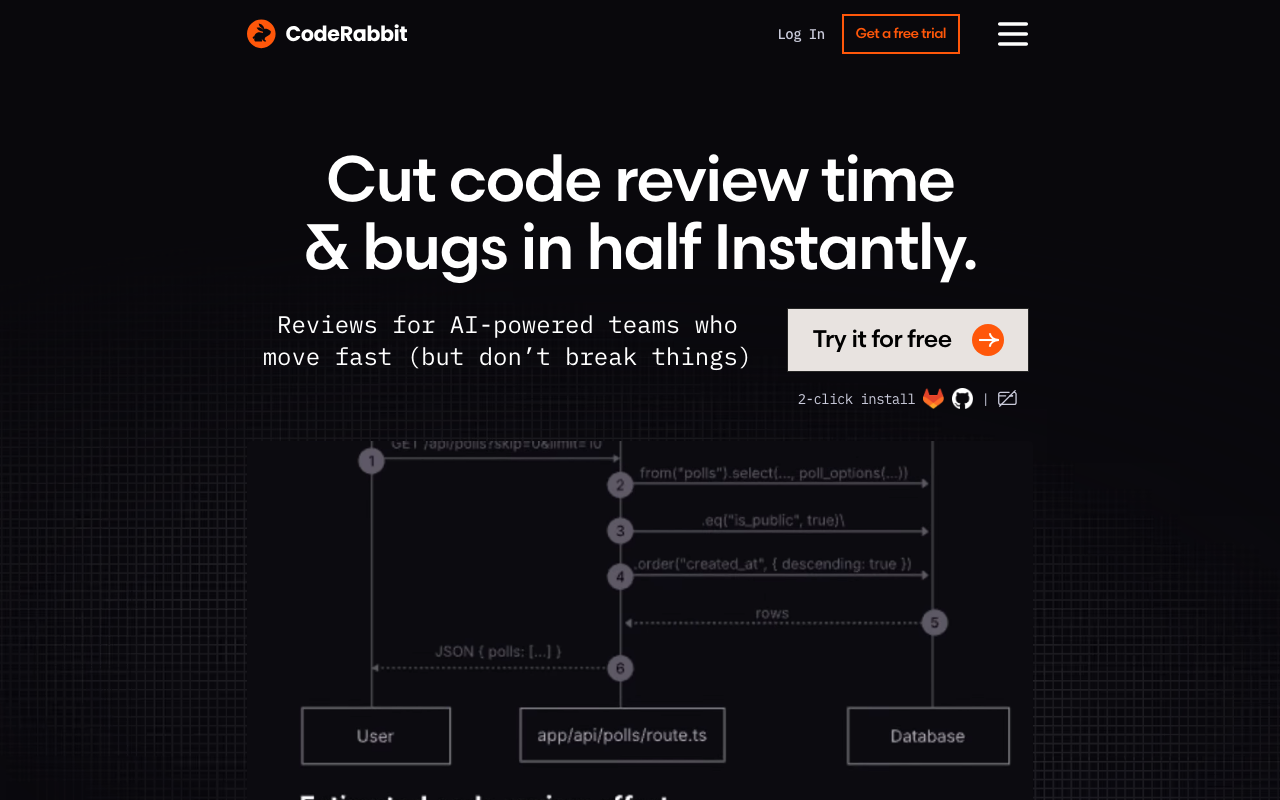
CodeRabbit is the most popular AI code review tool and arguably the easiest to set up. It is a GitHub App - not a GitHub Action - which means you install it once and it starts reviewing every pull request automatically. There is no YAML to write, no secrets to configure, and no Actions minutes consumed.
What CodeRabbit does
When a PR is opened, CodeRabbit generates a detailed walkthrough summarizing the changes across all files, then posts inline review comments on specific lines of code. It identifies bugs, security issues, performance problems, and logic errors. It can suggest concrete fixes that developers can apply with a single click. Developers can also reply to CodeRabbit’s comments in natural language to ask follow-up questions or request clarification.
CodeRabbit supports over 30 programming languages and understands cross-file context, so it can catch issues that span multiple files in a single PR.
Installation steps
Step 1: Go to the CodeRabbit GitHub App page and click “Install.”
Step 2: Choose whether to install it on all repositories or only selected repositories. For teams trying it out, start with a few repositories and expand later.
Step 3: Authorize the permissions. CodeRabbit needs read access to code and pull requests, and write access to post review comments.
That is it. The next time someone opens a pull request on any repository where CodeRabbit is installed, it will automatically post a review within a few minutes. No YAML file needed.
Optional: configure with .coderabbit.yaml
While CodeRabbit works out of the box, you can customize its behavior by adding a .coderabbit.yaml file to your repository root. This is where you tell CodeRabbit what to focus on, what to ignore, and how to behave.
# .coderabbit.yaml
language: en
tone_instructions: "Be concise and direct. Focus on bugs and security issues.
  Skip stylistic suggestions unless they impact readability significantly."
early_access: false

reviews:
  profile: assertive
  request_changes_workflow: false
  high_level_summary: true
  high_level_summary_placeholder: "@coderabbitai summary"
  poem: false
  review_status: true
  collapse_walkthrough: false
  path_instructions:
    - path: "src/auth/**"
      instructions: "This is security-critical code. Pay extra attention to
        authentication bypass, token handling, and session management."
    - path: "src/api/**"
      instructions: "Check for proper input validation, rate limiting,
        and consistent error response formats."
    - path: "tests/**"
      instructions: "Only flag missing edge case tests. Do not comment on
        test code style."
  auto_review:
    enabled: true
    drafts: false
    base_branches:
      - main
      - develop

chat:
  auto_reply: true
The path_instructions feature is particularly powerful. It lets you give CodeRabbit different review priorities for different parts of your codebase. Security-critical code gets extra scrutiny while test files get a lighter touch.
When to choose CodeRabbit
CodeRabbit is the right choice when you want comprehensive AI code review with the absolute minimum setup effort. It is free for open-source projects and has a free tier for private repos. The main trade-off is that your code is sent to CodeRabbit’s servers for analysis - if that is a concern for your organization, consider PR-Agent’s self-hosted option instead.
Option 3: GitHub Copilot code review
GitHub Copilot now includes native code review capabilities built directly into the GitHub pull request interface. Unlike the other tools in this guide, Copilot’s review feature is not a separate GitHub Action or App - it is part of GitHub itself.
What Copilot code review does
When enabled, Copilot can be added as a reviewer on pull requests just like a human team member. It analyzes the diff and leaves inline comments identifying potential bugs, security issues, and code quality problems. Its comments include suggested fixes that can be committed directly from the review interface.
Copilot’s review is powered by the same models that drive Copilot code completion, with additional training on code review patterns. It understands the context of the surrounding codebase and can identify issues that span multiple files in a PR.
How to enable Copilot code review
Step 1: Ensure your organization has a GitHub Copilot Enterprise or Copilot Business plan. Code review is not available on the individual Copilot plan.
Step 2: Go to your organization settings, navigate to Copilot, and enable “Copilot code review” under the features section.
Step 3: In individual repository settings, confirm that Copilot code review is enabled (it inherits the organization setting by default).
Step 4: When creating or reviewing a pull request, click the “Reviewers” dropdown and select “Copilot” from the suggested reviewers list. Alternatively, you can configure it to be automatically requested on all PRs.
To automatically request Copilot review on every pull request, add a CODEOWNERS file or configure a branch ruleset:
# .github/CODEOWNERS
# Request Copilot review on all PRs
* @copilot
Alternatively, set up automatic Copilot review through a branch ruleset in your repository settings under Rules, Rulesets. Create a new ruleset targeting your default branch and add “Require code review from Copilot” as a rule.
What Copilot reviews
Copilot focuses on several categories:
- Bug detection - null references, type mismatches, off-by-one errors, unhandled exceptions
- Security vulnerabilities - injection risks, hardcoded credentials, insecure API usage
- Performance - unnecessary allocations, N+1 queries, missing caching opportunities
- Code quality - overly complex logic, duplicated code, unclear naming
Limitations
Copilot code review is currently in active development and has some limitations compared to specialized tools. It does not generate PR walkthroughs or summary descriptions like CodeRabbit does. It does not support custom rules or per-path instructions. Its review depth is generally shallower than dedicated tools for large or complex PRs. It also requires a paid Copilot plan, while several alternatives offer free tiers.
When to choose Copilot
Copilot code review is the right choice if your organization already pays for GitHub Copilot Enterprise and you want native integration with zero additional tools, accounts, or configurations. It is the most seamless option since it lives entirely within the GitHub interface.
Option 4: PR-Agent via GitHub Actions
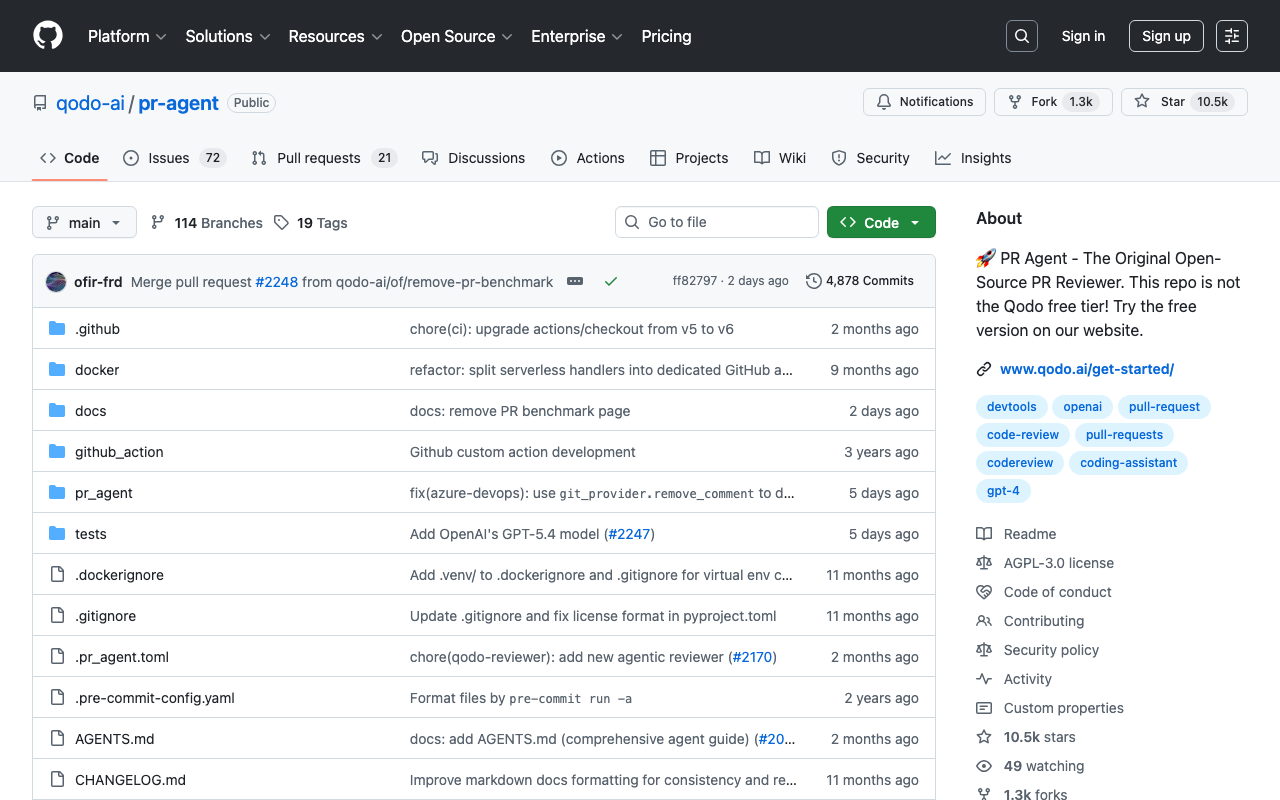
PR-Agent by Qodo is the most powerful open-source AI code review tool available. Unlike CodeRabbit and Copilot, PR-Agent runs as a GitHub Action in your own CI pipeline, giving you full control over the infrastructure, the LLM provider, and the configuration. It is the best option for teams that want AI review without sending code to a third-party service.
What PR-Agent does
PR-Agent provides several commands that can be triggered automatically or manually via PR comments:
- /review - Full AI code review with inline comments on specific lines
- /describe - Auto-generates PR title, description, type labels, and walkthrough
- /improve - Suggests code improvements with one-click applicable patches
- /ask - Answer questions about the PR changes in natural language
- /update_changelog - Auto-updates the CHANGELOG file based on PR content
Setting up PR-Agent as a GitHub Action
Step 1: Get an API key from your LLM provider. PR-Agent supports OpenAI, Anthropic, Azure OpenAI, Amazon Bedrock, and several other providers. For this guide we will use OpenAI.
Step 2: Add your API key as a GitHub repository secret. Go to your repository, then Settings, then Secrets and variables, then Actions, and create a new secret named OPENAI_KEY with your API key value.
Step 3: Create the workflow file at .github/workflows/pr-agent.yml:
name: PR-Agent

on:
  pull_request:
    types: [opened, reopened, ready_for_review]
  issue_comment:
    types: [created]

permissions:
  issues: write
  pull-requests: write
  contents: read

jobs:
  pr-agent:
    name: PR-Agent Review
    runs-on: ubuntu-latest
    if: >
      (github.event_name == 'pull_request' &&
       github.event.pull_request.draft == false) ||
      (github.event_name == 'issue_comment' &&
       github.event.issue.pull_request &&
       startsWith(github.event.comment.body, '/'))
    steps:
      - name: Run PR-Agent
        uses: Codium-ai/pr-agent@main
        env:
          OPENAI_KEY: ${{ secrets.OPENAI_KEY }}
          GITHUB_TOKEN: ${{ secrets.GITHUB_TOKEN }}
          PR_AGENT.PR_DESCRIPTION: "true"
          PR_AGENT.PR_REVIEWER: "true"
          PR_AGENT.PR_CODE_SUGGESTIONS: "true"
This configuration does three things automatically when a PR is opened:
- Generates a description and walkthrough for the PR
- Posts an AI code review with inline comments
- Suggests code improvements
The issue_comment trigger allows developers to manually invoke PR-Agent commands by posting comments like /review, /improve, or /ask "Is this thread-safe?" on any PR.
Advanced configuration with .pr_agent.toml
For finer control, add a .pr_agent.toml configuration file to your repository root:
# .pr_agent.toml

[config]
model = "gpt-4o"
model_turbo = "gpt-4o-mini"
max_model_tokens = 32000
publish_output_progress = true

[pr_description]
publish_labels = true
publish_description_as_comment = false
add_original_user_description = true
generate_ai_title = false
extra_instructions = """
When writing the PR description, include:
- A one-sentence summary of the change
- The motivation or context for the change
- Any breaking changes or migration steps
"""

[pr_reviewer]
require_focused_review = true
require_score_review = true
require_estimate_effort_to_review = true
num_code_suggestions = 3
inline_code_comments = true
ask_and_reflect = true
extra_instructions = """
Focus on:
- Null safety and error handling
- Security implications of the changes
- Performance impact on hot paths
- API contract changes
Skip commenting on:
- Code formatting and style
- Import ordering
- Minor naming preferences
"""

[pr_code_suggestions]
num_code_suggestions = 5
extra_instructions = """
Prioritize suggestions that:
1. Fix actual bugs
2. Close security vulnerabilities
3. Improve error handling
4. Simplify complex logic
"""
The extra_instructions fields are where PR-Agent shines. You can give it natural language directions about what to focus on and what to ignore, dramatically reducing noise from low-value comments.
Using PR-Agent with other LLM providers
If you want to use Anthropic’s Claude instead of OpenAI, change the environment variables:
      - name: Run PR-Agent
        uses: Codium-ai/pr-agent@main
        env:
          ANTHROPIC_API_KEY: ${{ secrets.ANTHROPIC_KEY }}
          GITHUB_TOKEN: ${{ secrets.GITHUB_TOKEN }}
          config.model: "claude-sonnet-4-20250514"
For Azure OpenAI:
      - name: Run PR-Agent
        uses: Codium-ai/pr-agent@main
        env:
          OPENAI_API_TYPE: "azure"
          AZURE_API_KEY: ${{ secrets.AZURE_OPENAI_KEY }}
          AZURE_API_BASE: "https://your-instance.openai.azure.com/"
          AZURE_DEPLOYMENT_ID: "your-deployment-name"
          GITHUB_TOKEN: ${{ secrets.GITHUB_TOKEN }}
Cost considerations
PR-Agent itself is free and open source. Your cost is the LLM API usage. A typical PR review with GPT-4o costs roughly $0.05 to $0.15 depending on the size of the diff. For a team processing 200 PRs per month, that is approximately $10 to $30 per month in API costs - significantly less than most commercial tools.
When to choose PR-Agent
PR-Agent is the right choice when you want full control over the AI review process, want to use your own LLM API keys, need to self-host for compliance reasons, or want to avoid sending code to a third-party review service. It is also the most cost-effective option for teams processing large volumes of PRs.
Option 5: Semgrep GitHub Action
Semgrep is a fast, lightweight static analysis tool that excels at security scanning. It uses a pattern-based rule syntax that makes it easy to write custom rules for your specific codebase. Semgrep’s GitHub Action is one of the most widely used security scanning integrations, with thousands of pre-built rules covering OWASP Top 10 vulnerabilities, CWE patterns, and language-specific security issues.
What Semgrep catches
Semgrep operates differently from the AI-powered tools above. It does not use an LLM - it matches code against a library of patterns. This makes it deterministic (same code always produces the same findings), fast (scans complete in seconds), and precise (low false positive rate when rules are well-written).
Common issue categories:
- Injection vulnerabilities - SQL injection, XSS, command injection, SSTI
- Authentication flaws - hardcoded credentials, weak token generation, missing auth checks
- Cryptography issues - weak algorithms, insecure random number generation, improper key handling
- Data exposure - PII logging, sensitive data in error messages, overly permissive CORS
- Language-specific bugs - Python deserialization, Java type confusion, Go concurrency issues
Setting up Semgrep as a GitHub Action
Step 1: Create an account at semgrep.dev and generate an API token. The free tier supports up to 10 contributors.
Step 2: Add the token as a GitHub secret named SEMGREP_APP_TOKEN.
Step 3: Create the workflow file at .github/workflows/semgrep.yml:
name: Semgrep

on:
  pull_request:
    branches: [main, develop]
  push:
    branches: [main]
  schedule:
    - cron: '0 0 * * 1'  # weekly full scan on Mondays

jobs:
  semgrep:
    name: Semgrep Scan
    runs-on: ubuntu-latest
    container:
      image: semgrep/semgrep
    steps:
      - uses: actions/checkout@v4

      - name: Run Semgrep
        run: semgrep ci
        env:
          SEMGREP_APP_TOKEN: ${{ secrets.SEMGREP_APP_TOKEN }}
This is the recommended Semgrep setup. It uses Semgrep’s managed configuration through semgrep ci, which means rules are managed centrally in your Semgrep dashboard rather than in YAML files. Findings show up as PR comments and in the Semgrep web dashboard.
Alternative: run Semgrep without a Semgrep account
If you prefer not to create a Semgrep account, you can run Semgrep in standalone mode with explicitly specified rule sets:
name: Semgrep

on:
  pull_request:
    branches: [main, develop]

jobs:
  semgrep:
    name: Semgrep Scan
    runs-on: ubuntu-latest
    container:
      image: semgrep/semgrep
    steps:
      - uses: actions/checkout@v4

      - name: Run Semgrep
        run: |
          semgrep scan \
            --config "p/default" \
            --config "p/owasp-top-ten" \
            --config "p/cwe-top-25" \
            --config "p/security-audit" \
            --sarif --output=semgrep-results.sarif \
            .

      - name: Upload SARIF to GitHub
        if: always()
        uses: github/codeql-action/upload-sarif@v3
        with:
          sarif_file: semgrep-results.sarif
The --sarif output uploads results to GitHub’s Security tab, where they appear as code scanning alerts directly in the PR diff. The p/default and p/owasp-top-ten are Semgrep’s curated rule packs that cover the most common security issues.
Writing custom Semgrep rules
One of Semgrep’s strongest features is how easy it is to write custom rules. If your team has patterns you want to enforce, you can define rules that look almost like the code they match.
Create a .semgrep/ directory in your repository root and add rule files:
# .semgrep/custom-rules.yml
rules:
  - id: no-console-log-in-production
    patterns:
      - pattern: console.log(...)
      - pattern-not-inside: |
          if ($DEBUG) {
            ...
          }
    paths:
      exclude:
        - tests/
        - "*.test.*"
        - "*.spec.*"
    message: >
      console.log() found in production code. Use the structured
      logger instead: logger.info(), logger.debug(), etc.
    severity: WARNING
    languages: [javascript, typescript]

  - id: no-raw-sql-queries
    pattern: |
      $DB.query($SQL, ...)
    message: >
      Raw SQL query detected. Use parameterized queries or the
      ORM query builder to prevent SQL injection.
    severity: ERROR
    languages: [javascript, typescript]

  - id: require-error-handling-on-api-calls
    patterns:
      - pattern: |
          await fetch(...)
      - pattern-not-inside: |
          try {
            ...
          } catch (...) {
            ...
          }
    message: >
      API call without error handling. Wrap fetch() calls in
      try/catch blocks to handle network errors gracefully.
    severity: WARNING
    languages: [javascript, typescript]
Then reference your custom rules in the workflow:
      - name: Run Semgrep
        run: |
          semgrep scan \
            --config "p/default" \
            --config ".semgrep/" \
            --sarif --output=semgrep-results.sarif \
            .
Configuring exclusions
Create a .semgrepignore file to exclude files and directories from scanning:
# .semgrepignore
# Dependencies
node_modules/
vendor/

# Build output
dist/
build/
.next/

# Generated files
*.generated.ts
*_pb.go

# Test fixtures
tests/fixtures/
__snapshots__/

# Configuration
*.config.js
*.config.ts
When to choose Semgrep
Semgrep is the right choice for security-focused scanning with deterministic, reproducible results. It is the best complement to an AI review tool because it catches different categories of issues - Semgrep finds known vulnerability patterns while AI tools find logic errors and design problems. Most teams should run both.
Option 6: SonarQube in GitHub Actions
SonarQube provides the deepest static analysis rule coverage of any tool in this guide, with over 5,000 rules spanning 30+ programming languages. It goes beyond security scanning to cover code smells, maintainability issues, test coverage tracking, and code duplication detection. SonarQube’s quality gates feature makes it possible to block PR merges when code does not meet your team’s quality thresholds.
SonarQube Cloud vs self-hosted
SonarQube offers two deployment options:
- SonarQube Cloud (formerly SonarCloud) - Hosted service with free tier for open-source projects. Easiest to set up. Analysis runs on SonarQube’s infrastructure.
- SonarQube Server (self-hosted) - Install on your own infrastructure. Community Build is free. Required for teams with strict data residency requirements.
This guide covers SonarQube Cloud since it is the most common choice for GitHub-based teams.
Setting up SonarQube Cloud with GitHub Actions
Step 1: Go to sonarcloud.io and sign in with your GitHub account.
Step 2: Click “Analyze a new project” and import your repository.
Step 3: Choose “GitHub Actions” as the analysis method when prompted.
Step 4: SonarQube Cloud will display your project key and organization. Note these values.
Step 5: Generate a token in SonarQube Cloud under My Account, Security. Add it as a GitHub secret named SONAR_TOKEN.
Step 6: Create the workflow file at .github/workflows/sonarqube.yml:
name: SonarQube Analysis

on:
  pull_request:
    branches: [main, develop]
  push:
    branches: [main]

jobs:
  sonarqube:
    name: SonarQube Scan
    runs-on: ubuntu-latest
    steps:
      - uses: actions/checkout@v4
        with:
          fetch-depth: 0  # full history required for accurate blame data

      - name: Set up JDK 17
        uses: actions/setup-java@v4
        with:
          java-version: 17
          distribution: 'temurin'

      - name: Cache SonarQube packages
        uses: actions/cache@v4
        with:
          path: ~/.sonar/cache
          key: ${{ runner.os }}-sonar
          restore-keys: ${{ runner.os }}-sonar

      - name: SonarQube Scan
        uses: SonarSource/sonarqube-scan-action@v5
        env:
          SONAR_TOKEN: ${{ secrets.SONAR_TOKEN }}

      - name: SonarQube Quality Gate
        uses: SonarSource/sonarqube-quality-gate-action@v1
        timeout-minutes: 5
        env:
          SONAR_TOKEN: ${{ secrets.SONAR_TOKEN }}
Step 7: Add a sonar-project.properties file to your repository root:
sonar.projectKey=your-org_your-repo
sonar.organization=your-org

# Source configuration
sonar.sources=src
sonar.tests=tests,__tests__,src/**/*.test.ts,src/**/*.spec.ts

# Exclusions - skip files that should not be analyzed
sonar.exclusions=\
  **/node_modules/**,\
  **/dist/**,\
  **/build/**,\
  **/*.test.ts,\
  **/*.spec.ts,\
  **/test-utils/**,\
  **/migrations/**,\
  **/*.generated.ts

# Coverage report path (if you generate coverage reports)
sonar.javascript.lcov.reportPaths=coverage/lcov.info
sonar.python.coverage.reportPaths=coverage.xml

# Encoding
sonar.sourceEncoding=UTF-8

# New code definition - only flag issues in new/changed code
sonar.newCode.referenceBranch=main
Adding coverage data to SonarQube
SonarQube can track test coverage and enforce minimum coverage thresholds. To include coverage data, add a test step before the SonarQube scan:
    steps:
      - uses: actions/checkout@v4
        with:
          fetch-depth: 0

      - uses: actions/setup-node@v4
        with:
          node-version: 20
          cache: 'npm'

      - run: npm ci

      - name: Run tests with coverage
        run: npx vitest run --coverage --reporter=default --reporter=json
        env:
          CI: true

      - name: SonarQube Scan
        uses: SonarSource/sonarqube-scan-action@v5
        env:
          SONAR_TOKEN: ${{ secrets.SONAR_TOKEN }}
Make sure your test runner generates an LCOV coverage report and that the sonar.javascript.lcov.reportPaths property points to the correct file.
Configuring quality gates
Quality gates are thresholds that determine whether a PR passes or fails the SonarQube check. The default quality gate requires:
- No new bugs
- No new vulnerabilities
- No new security hotspots reviewed as “unsafe”
- Code coverage on new code is at least 80%
- Duplication on new code is less than 3%
You can customize quality gates in the SonarQube Cloud dashboard under Quality Gates. For most teams, we recommend starting with the default “Sonar Way” quality gate and adjusting later based on your experience.
When to choose SonarQube
SonarQube is the right choice when you need comprehensive quality metrics beyond security scanning - code coverage tracking, duplication detection, maintainability ratings, and technical debt estimation. It is also the best choice for organizations that need quality gates to enforce minimum standards on every PR. The main trade-off is that SonarQube is heavier to set up and maintain than Semgrep.
Option 7: Codacy and DeepSource as GitHub Apps
Not every tool requires a GitHub Actions workflow file. Codacy and DeepSource both operate as GitHub Apps with minimal configuration, similar to CodeRabbit, but focused on static analysis and code quality rather than AI-powered review.
Codacy
Codacy aggregates multiple analysis engines into a unified dashboard. It runs tools like ESLint, Pylint, PMD, SpotBugs, and Semgrep behind the scenes, presenting their combined findings in a single interface. It posts status checks on PRs and can block merges when issues are found.
Setup:
- Go to codacy.com and sign in with your GitHub account
- Add your repository from the Codacy dashboard
- Codacy automatically configures analysis engines based on the languages detected in your repository
- PR checks start appearing on the next pull request
Optional configuration with a .codacy.yml file in your repository root:
# .codacy.yml
engines:
  eslint:
    enabled: true
  pylint:
    enabled: true
  semgrep:
    enabled: true
  markdownlint:
    enabled: false

exclude_paths:
  - "node_modules/**"
  - "dist/**"
  - "build/**"
  - "**/*.test.ts"
  - "**/*.spec.ts"
  - "docs/**"
  - "scripts/**"
Codacy is free for open-source projects and has a free tier for up to 5 users on private repositories.
DeepSource
DeepSource takes a different approach. Rather than aggregating external tools, it uses its own analysis engine with a curated set of rules that maintains a sub-5% false positive rate. It also includes AI-powered auto-fix capabilities through its Autofix feature, which generates patches for detected issues.
Setup:
- Go to deepsource.com and sign in with your GitHub account
- Add your repository
- Add a
.deepsource.tomlconfiguration file to your repository root
# .deepsource.toml
version = 1

[[analyzers]]
name = "javascript"
enabled = true

  [analyzers.meta]
  environment = ["nodejs"]
  dialect = "typescript"
  plugins = ["react"]

[[analyzers]]
name = "python"
enabled = true

  [analyzers.meta]
  runtime_version = "3.x.x"

[[analyzers]]
name = "docker"
enabled = true

[[analyzers]]
name = "shell"
enabled = true

[[analyzers]]
name = "secrets"
enabled = true

[[transformers]]
name = "prettier"
enabled = true

[[transformers]]
name = "ruff"
enabled = true
DeepSource’s transformers feature can automatically fix formatting issues by pushing commits directly to the PR branch, saving developers the round-trip of fixing lint errors manually.
Running Codacy or DeepSource as a GitHub Action
Both tools also offer GitHub Action alternatives if you prefer running analysis in your own CI pipeline:
Codacy GitHub Action:
name: Codacy Analysis

on:
  pull_request:
    branches: [main]
  push:
    branches: [main]

jobs:
  codacy:
    name: Codacy Analysis
    runs-on: ubuntu-latest
    steps:
      - uses: actions/checkout@v4

      - name: Run Codacy Analysis
        uses: codacy/codacy-analysis-cli-action@master
        with:
          project-token: ${{ secrets.CODACY_PROJECT_TOKEN }}
          upload: true
          max-allowed-issues: 0
DeepSource GitHub Action:
name: DeepSource Analysis

on:
  push:
    branches: [main]
  pull_request:
    branches: [main]

jobs:
  deepsource:
    name: DeepSource Scan
    runs-on: ubuntu-latest
    steps:
      - uses: actions/checkout@v4
        with:
          ref: ${{ github.event.pull_request.head.sha }}
          fetch-depth: 0

      - name: Report test coverage to DeepSource
        uses: deepsourcelabs/test-coverage-action@master
        with:
          key: javascript
          coverage-file: coverage/lcov.info
          dsn: ${{ secrets.DEEPSOURCE_DSN }}
When to choose Codacy or DeepSource
Choose Codacy when you want a single dashboard that aggregates multiple analysis engines and provides a unified view of code quality across languages. Choose DeepSource when you want the lowest false positive rate and automated fix capabilities. Both are strong complements to an AI review tool.
Additional tools worth considering
While the seven options above cover the most common setups, several other tools deserve mention for specific use cases.
Snyk Code provides advanced security scanning with cross-file dataflow analysis. It excels at finding complex vulnerability patterns that span multiple functions and files. If your primary concern is security rather than general code quality, Snyk Code’s GitHub integration is worth evaluating alongside Semgrep.
Sourcery focuses specifically on Python code quality and refactoring suggestions. If your codebase is predominantly Python, Sourcery’s GitHub Action provides targeted improvements that general-purpose tools often miss.
Ellipsis provides AI code review with a focus on speed and minimal noise. It positions itself as a lighter-weight alternative to CodeRabbit for teams that want AI feedback without detailed walkthroughs and summaries.
Cursor Bugbot reviews pull requests with the same code understanding that powers the Cursor editor. It is worth a look for teams already standardized on Cursor who want their review tooling to share context with their editor.
Combined workflow: putting it all together
The real power of AI code review in GitHub Actions comes from combining multiple tools, each handling a different layer of analysis. Here is a complete workflow that runs an AI review tool alongside security scanning and quality gates, all in a single workflow file. If you are using a GitHub App like Greptile or CodeRabbit for AI review, the AI review layer runs independently and does not need a job in this workflow.
# .github/workflows/code-review.yml
name: Automated Code Review

on:
  pull_request:
    types: [opened, synchronize, reopened, ready_for_review]
    branches: [main, develop]

concurrency:
  group: code-review-${{ github.head_ref }}
  cancel-in-progress: true

permissions:
  contents: read
  pull-requests: write
  security-events: write

jobs:
  # Job 1: AI-powered code review with PR-Agent
  ai-review:
    name: AI Review
    runs-on: ubuntu-latest
    if: github.event.pull_request.draft == false
    steps:
      - name: Run PR-Agent
        uses: Codium-ai/pr-agent@main
        env:
          OPENAI_KEY: ${{ secrets.OPENAI_KEY }}
          GITHUB_TOKEN: ${{ secrets.GITHUB_TOKEN }}
          PR_AGENT.PR_REVIEWER: "true"
          PR_AGENT.PR_CODE_SUGGESTIONS: "true"
          PR_AGENT.PR_DESCRIPTION: "true"

  # Job 2: Security scanning with Semgrep
  security-scan:
    name: Security Scan
    runs-on: ubuntu-latest
    container:
      image: semgrep/semgrep
    steps:
      - uses: actions/checkout@v4

      - name: Run Semgrep
        run: semgrep ci
        env:
          SEMGREP_APP_TOKEN: ${{ secrets.SEMGREP_APP_TOKEN }}

  # Job 3: Code quality with SonarQube
  quality-gate:
    name: Quality Gate
    runs-on: ubuntu-latest
    steps:
      - uses: actions/checkout@v4
        with:
          fetch-depth: 0

      - uses: actions/setup-node@v4
        with:
          node-version: 20
          cache: 'npm'

      - run: npm ci

      - name: Run tests with coverage
        run: npx vitest run --coverage
        env:
          CI: true

      - name: SonarQube Scan
        uses: SonarSource/sonarqube-scan-action@v5
        env:
          SONAR_TOKEN: ${{ secrets.SONAR_TOKEN }}

      - name: SonarQube Quality Gate
        uses: SonarSource/sonarqube-quality-gate-action@v1
        timeout-minutes: 5
        env:
          SONAR_TOKEN: ${{ secrets.SONAR_TOKEN }}

  # Job 4: Summary status check
  review-complete:
    name: Review Complete
    runs-on: ubuntu-latest
    needs: [security-scan, quality-gate]
    if: always()
    steps:
      - name: Check results
        run: |
          if [ "${{ needs.security-scan.result }}" == "failure" ] || \
             [ "${{ needs.quality-gate.result }}" == "failure" ]; then
            echo "One or more review checks failed"
            exit 1
          fi
          echo "All review checks passed"
There are several things worth noting about this workflow:
Parallel execution. The three review jobs - ai-review, security-scan, and quality-gate - run simultaneously. This means the total time is determined by the slowest job, not the sum of all three. Typically, all three complete within 3 to 5 minutes.
Concurrency control. The concurrency block ensures that if a developer pushes a new commit while reviews are still running, the in-progress jobs are cancelled and restarted with the latest code. This prevents wasted Actions minutes and stale review comments.
Draft PR filtering. The if: github.event.pull_request.draft == false condition on the AI review job prevents it from running on draft PRs, saving API costs. The security and quality jobs still run on drafts to give early feedback.
Aggregate status check. The review-complete job waits for the security scan and quality gate to finish and reports a single pass/fail status. This is the job you reference in branch protection rules. Note that the AI review job is intentionally excluded from the aggregate because AI review comments are advisory, not blocking.
Where Greptile or CodeRabbit fits in this workflow
If you are using Greptile or CodeRabbit instead of PR-Agent, you do not need the ai-review job at all. Both run as separate GitHub Apps and post their reviews independently of your GitHub Actions workflow. The combined workflow then simplifies to just the security scan, quality gate, and summary jobs:
# .github/workflows/code-review.yml
# Greptile or CodeRabbit handles AI review automatically as a GitHub App.
# This workflow covers security scanning and quality gates.
name: Code Quality

on:
  pull_request:
    branches: [main, develop]

jobs:
  security-scan:
    name: Security Scan
    runs-on: ubuntu-latest
    container:
      image: semgrep/semgrep
    steps:
      - uses: actions/checkout@v4
      - run: semgrep ci
        env:
          SEMGREP_APP_TOKEN: ${{ secrets.SEMGREP_APP_TOKEN }}

  quality-gate:
    name: Quality Gate
    runs-on: ubuntu-latest
    steps:
      - uses: actions/checkout@v4
        with:
          fetch-depth: 0
      - name: SonarQube Scan
        uses: SonarSource/sonarqube-scan-action@v5
        env:
          SONAR_TOKEN: ${{ secrets.SONAR_TOKEN }}
      - name: SonarQube Quality Gate
        uses: SonarSource/sonarqube-quality-gate-action@v1
        timeout-minutes: 5
        env:
          SONAR_TOKEN: ${{ secrets.SONAR_TOKEN }}
This is the pattern we see most often in production: Greptile or CodeRabbit for AI review (zero YAML, zero maintenance), Semgrep for security scanning, and SonarQube for quality gates and coverage tracking.
Setting up branch protection rules for quality gates
Automated review tools only provide real value when their findings can actually block problematic code from being merged. This is where GitHub branch protection rules come in. They ensure that every PR must pass your automated checks before it can be merged to the main branch.
Configuring branch protection
Step 1: Go to your repository settings, then Branches (or Rules, Rulesets for newer configurations).
Step 2: Under “Branch protection rules,” click “Add rule.”
Step 3: Set the branch name pattern to main (or your default branch name).
Step 4: Enable these settings:
- Require a pull request before merging - Prevents direct pushes to main
- Require status checks to pass before merging - This is the key setting
- Require branches to be up to date before merging - Prevents merging stale branches
Step 5: Under “Status checks that are required,” search for and add:
Security Scan(or whatever you named the Semgrep job)Quality Gate(or whatever you named the SonarQube job)Review Complete(if you use the aggregate status check from the combined workflow)
Do not add the AI review job as a required check. AI review findings should be advisory because LLM-based tools occasionally produce false positives. Blocking merges on AI review results would create frustration when developers have to dismiss incorrect findings. Instead, use AI review as a complement to human review and let human reviewers decide whether to act on AI suggestions.
Recommended branch protection configuration
Here is the configuration that works well for most teams:
Branch name pattern: main

Required:
  - Require pull request before merging
    - Required approvals: 1
    - Dismiss stale pull request approvals on new pushes
  - Require status checks to pass
    - Security Scan (Semgrep)
    - Quality Gate (SonarQube)
    - Build (your existing CI job)
    - Tests (your existing test job)
  - Require conversation resolution before merging

Optional but recommended:
  - Require branches to be up to date before merging
  - Do not allow bypassing the above settings
The “Require conversation resolution” setting is especially useful with AI review tools. When CodeRabbit or PR-Agent leaves a review comment, it creates a conversation thread. This setting ensures that developers must either resolve the conversation (by fixing the issue, replying, or explicitly dismissing it) before merging. It prevents developers from silently ignoring automated review findings.
Troubleshooting common issues
Setting up AI code review in GitHub Actions is generally straightforward, but there are a handful of issues that trip up most teams. Here are the most common problems and their solutions.
Problem: PR-Agent fails with “Resource not accessible by integration”
This is the most common issue with PR-Agent and happens when the GitHub Actions workflow does not have sufficient permissions to post review comments.
Solution: Add explicit permissions to your workflow file:
permissions:
  issues: write
  pull-requests: write
  contents: read
If your repository is in an organization, the organization admin may also need to allow GitHub Actions workflows to create pull request reviews. Check Organization Settings, then Actions, then General, and ensure “Allow GitHub Actions to create and approve pull requests” is enabled.
Problem: SonarQube quality gate always fails with “not enough data”
This happens when SonarQube cannot determine the new code period because it does not have enough history.
Solution: Ensure your checkout step includes full git history:
      - uses: actions/checkout@v4
        with:
          fetch-depth: 0  # critical - do not remove
Also verify that the sonar.newCode.referenceBranch property in sonar-project.properties matches your actual default branch name. If your default branch is master instead of main, update the property accordingly.
Problem: Semgrep takes too long and times out
For large repositories, Semgrep can take several minutes. If it exceeds the default GitHub Actions timeout, the job fails.
Solution: Increase the timeout and configure Semgrep to scan only changed files on PRs:
  semgrep:
    name: Semgrep Scan
    runs-on: ubuntu-latest
    timeout-minutes: 15
    container:
      image: semgrep/semgrep
    steps:
      - uses: actions/checkout@v4
        with:
          fetch-depth: 0  # needed for diff-aware scanning

      - name: Run Semgrep
        run: semgrep ci
        env:
          SEMGREP_APP_TOKEN: ${{ secrets.SEMGREP_APP_TOKEN }}
When using semgrep ci with a Semgrep account, diff-aware scanning is enabled by default - it only analyzes changed files on pull requests and does a full scan on push to the main branch.
Problem: CodeRabbit posts too many comments
If CodeRabbit is flooding your PRs with low-value suggestions, you need to tune its configuration.
Solution: Add a .coderabbit.yaml file with instructions to reduce noise:
reviews:
  profile: assertive
  path_instructions:
    - path: "**/*"
      instructions: |
        Only comment on issues that are clearly bugs, security
        vulnerabilities, or significant logic errors. Do not
        comment on code style, naming preferences, or minor
        improvements. If an issue is low severity, skip it.
You can also reduce the scope by excluding paths that generate noise:
  auto_review:
    enabled: true
    ignore:
      - "*.lock"
      - "*.generated.*"
      - "migrations/**"
      - "docs/**"
      - "*.config.*"
Problem: Multiple tools commenting on the same issue
When running several review tools, you will sometimes see duplicated findings - for example, both Semgrep and SonarQube flagging the same SQL injection vulnerability.
Solution: This is expected and generally acceptable. Each tool may provide different context or remediation advice for the same issue, which can be helpful. If the duplication is excessive, focus each tool on its strength:
- Use Semgrep for security-specific rules and disable overlapping SonarQube security rules
- Use SonarQube for code quality metrics (coverage, duplication, maintainability) and disable its security rules
- Use your AI tool (Greptile, CodeRabbit, or PR-Agent) for logic and design review only
In SonarQube, you can disable specific rule categories in the Quality Profile settings. In Semgrep, you can exclude specific rule IDs in your .semgrepignore or Semgrep dashboard.
Problem: GitHub Actions minutes running out
Running multiple analysis tools on every PR can consume a significant number of Actions minutes, especially on private repositories.
Solution: Several strategies help:
- Use GitHub Apps where possible. Greptile, CodeRabbit, Codacy, and DeepSource run on their own infrastructure and do not consume your Actions minutes.
- Skip analysis on draft PRs. Add
if: github.event.pull_request.draft == falseto expensive jobs. - Use path filters. Only trigger analysis when relevant files change:
on:
  pull_request:
    branches: [main]
    paths:
      - 'src/**'
      - 'lib/**'
      - '*.ts'
      - '*.py'
      - '!docs/**'
- '!*.md'- Cache dependencies. Use
actions/cachefor SonarQube scanner packages and Node modules to reduce setup time. - Cancel in-progress runs. Use the
concurrencyblock to cancel stale runs when new commits are pushed.
Problem: PR-Agent uses too many LLM tokens on large PRs
Large pull requests with hundreds of changed lines can generate expensive API calls to your LLM provider.
Solution: Configure PR-Agent to limit its scope on large PRs:
# .pr_agent.toml
[config]
max_model_tokens = 16000

[pr_reviewer]
# Skip review for very large PRs
max_files_to_review = 30

[pr_code_suggestions]
# Limit suggestions to the most impactful
num_code_suggestions = 3
You can also set a budget alert on your OpenAI or Anthropic account to prevent unexpected charges.
Problem: Reviews are not appearing on forked PRs
Most AI review tools have limited functionality on pull requests from forks because GitHub restricts access to repository secrets for fork-based PRs. This is a security feature - it prevents malicious fork PRs from exfiltrating your API keys.
Solution: For PR-Agent, use the pull_request_target event instead of pull_request, but be aware that this gives the workflow access to the base repository’s secrets, which has security implications:
on:
  pull_request_target:
    types: [opened, synchronize, reopened]
Only use pull_request_target if your repository accepts PRs from trusted contributors. For open-source projects that accept PRs from unknown forks, consider using a GitHub App (like CodeRabbit) instead, as Apps have their own authentication and do not rely on repository secrets.
Choosing the right combination for your team
With seven options covered in detail, the natural question is which tools to actually use. The answer depends on your team size, security requirements, and budget. Here are three recommended configurations.
Starter setup (small teams, free)
For teams under 10 developers who want automated review without any cost:
- CodeRabbit (free tier) for AI-powered PR review
- Semgrep (free for up to 10 contributors) for security scanning
Total cost: $0 on CodeRabbit’s free tier. Total setup time: about 15 minutes.
This gives you AI review comments on every PR and security scanning that catches the most common vulnerability patterns. CodeRabbit is a GitHub App that requires no YAML configuration - just install and go.
Standard setup (growing teams)
For teams of 10 to 50 developers who need quality gates and metrics:
- Greptile, CodeRabbit, or PR-Agent for AI review
- Semgrep for security scanning (not needed if you run Codacy, which bundles SAST and secrets detection)
- SonarQube Cloud for quality gates and coverage tracking
Total cost: $0 to $40/user/month depending on plan tiers and tool choices. Total setup time: about 1 hour.
This adds quality gates that block merges when code quality drops below your thresholds, plus coverage tracking and technical debt metrics. Teams that would rather consolidate can use Codacy to cover static analysis, SAST, and secrets detection in a single integration, reducing the number of tools to manage. The combined workflow YAML from earlier in this guide is designed for exactly this setup.
Enterprise setup (large organizations)
For organizations with strict compliance and security requirements:
- PR-Agent (self-hosted with your own LLM API keys) for AI review
- Semgrep (paid tier with custom policies) for security scanning
- SonarQube Server (self-hosted) for quality gates
- Snyk Code for advanced security dataflow analysis
- Codacy or DeepSource for additional static analysis
Total cost: Varies widely based on team size and hosting. Total setup time: 4 to 8 hours.
This provides the deepest coverage with full control over where your code is analyzed. PR-Agent with self-hosted LLMs and SonarQube Server mean no code leaves your infrastructure. Snyk Code adds cross-file vulnerability detection that other tools miss.
DIY: Building a custom AI code review GitHub Action with OpenAI API
All the tools covered so far are pre-built solutions. But what if you want complete control over the review prompt, the output format, and the entire pipeline? You can build your own AI code review GitHub Action using the OpenAI API (or Anthropic API) directly. This approach gives you maximum flexibility at the cost of more maintenance.
Why build your own
There are several legitimate reasons to build a custom solution:
- Custom review criteria - You want the AI to enforce your team’s specific conventions, architecture patterns, or domain rules that no off-the-shelf tool supports
- Output format control - You want reviews formatted in a specific way, posted to specific places, or integrated with internal tools
- LLM provider flexibility - You want to swap between models (GPT-4o, Claude, Gemini, open-source models) without changing your workflow
- Cost optimization - You want to control exactly which files get reviewed and how many tokens are used per review
- Learning and customization - You want to understand the entire pipeline and iterate on it rapidly
Complete GitHub Actions workflow
Here is a production-ready workflow that fetches the PR diff, sends it to the OpenAI API for review, and posts the result as a PR comment:
# .github/workflows/ai-review-diy.yml
name: DIY AI Code Review

on:
  pull_request:
    types: [opened, synchronize, reopened, ready_for_review]

permissions:
  contents: read
  pull-requests: write

jobs:
  ai-review:
    name: AI Code Review
    runs-on: ubuntu-latest
    if: github.event.pull_request.draft == false
    steps:
      - name: Checkout code
        uses: actions/checkout@v4
        with:
          fetch-depth: 0

      - name: Get PR diff
        id: diff
        env:
          GH_TOKEN: ${{ secrets.GITHUB_TOKEN }}
        run: |
          DIFF=$(gh pr diff ${{ github.event.pull_request.number }} \
            --repo ${{ github.repository }})

          # Truncate diff if it exceeds token limits (~100K chars ≈ 25K tokens)
          MAX_CHARS=100000
          if [ ${#DIFF} -gt $MAX_CHARS ]; then
            DIFF="${DIFF:0:$MAX_CHARS}"
            DIFF="$DIFF\n\n[DIFF TRUNCATED - exceeded ${MAX_CHARS} characters]"
          fi

          # Write to file to avoid shell escaping issues
          echo "$DIFF" > /tmp/pr_diff.txt

      - name: Run AI review
        id: review
        env:
          OPENAI_API_KEY: ${{ secrets.OPENAI_API_KEY }}
        run: |
          DIFF=$(cat /tmp/pr_diff.txt)

          # Build the review prompt
          SYSTEM_PROMPT="You are an expert code reviewer. Review the following \
          pull request diff and provide actionable feedback. Focus on:
          1. Bugs and logic errors
          2. Security vulnerabilities
          3. Performance issues
          4. Error handling gaps
          5. Code clarity and maintainability

          Rules:
          - Only comment on significant issues. Skip minor style preferences.
          - For each issue, explain WHY it is a problem and suggest a fix.
          - If the code looks good, say so briefly. Do not invent issues.
          - Format your response in Markdown with clear headings.
          - Group findings by severity: Critical, Warning, Suggestion.
          - If there are no issues, respond with a short approval message."

          # Call the OpenAI API
          RESPONSE=$(curl -s https://api.openai.com/v1/chat/completions \
            -H "Content-Type: application/json" \
            -H "Authorization: Bearer $OPENAI_API_KEY" \
            -d "$(jq -n \
              --arg system "$SYSTEM_PROMPT" \
              --arg diff "$DIFF" \
              '{
                model: "gpt-4o",
                messages: [
                  { role: "system", content: $system },
                  { role: "user", content: ("Review this PR diff:\n\n" + $diff) }
                ],
                temperature: 0.1,
                max_tokens: 4096
              }')")

          # Extract the review content
          REVIEW=$(echo "$RESPONSE" | jq -r '.choices[0].message.content')

          # Check for API errors
          if [ "$REVIEW" = "null" ] || [ -z "$REVIEW" ]; then
            ERROR=$(echo "$RESPONSE" | jq -r '.error.message // "Unknown error"')
            echo "OpenAI API error: $ERROR"
            exit 1
          fi

          # Write review to file
          echo "$REVIEW" > /tmp/review_comment.md

      - name: Post review comment
        env:
          GH_TOKEN: ${{ secrets.GITHUB_TOKEN }}
        run: |
          # Add header and footer to the review
          HEADER="## AI Code Review"
          HEADER="$HEADER\n\n> Automated review powered by GPT-4o"
          HEADER="$HEADER\n\n---\n"
          FOOTER="\n\n---\n*This is an automated review. Please use your "
          FOOTER="${FOOTER}judgment when applying suggestions.*"

          REVIEW=$(cat /tmp/review_comment.md)
          FULL_COMMENT="$HEADER\n$REVIEW\n$FOOTER"

          echo -e "$FULL_COMMENT" > /tmp/full_comment.md

          gh pr comment ${{ github.event.pull_request.number }} \
            --repo ${{ github.repository }} \
            --body-file /tmp/full_comment.md
Adapting the workflow for the Anthropic API
If you prefer to use Claude instead of GPT-4o, replace the API call step with:
      - name: Run AI review
        id: review
        env:
          ANTHROPIC_API_KEY: ${{ secrets.ANTHROPIC_API_KEY }}
        run: |
          DIFF=$(cat /tmp/pr_diff.txt)

          SYSTEM_PROMPT="You are an expert code reviewer. Review the following \
          pull request diff and provide actionable feedback. Focus on bugs, \
          security vulnerabilities, performance issues, and error handling gaps. \
          Only comment on significant issues. Format your response in Markdown."

          RESPONSE=$(curl -s https://api.anthropic.com/v1/messages \
            -H "Content-Type: application/json" \
            -H "x-api-key: $ANTHROPIC_API_KEY" \
            -H "anthropic-version: 2023-06-01" \
            -d "$(jq -n \
              --arg system "$SYSTEM_PROMPT" \
              --arg diff "$DIFF" \
              '{
                model: "claude-sonnet-4-20250514",
                max_tokens: 4096,
                system: $system,
                messages: [
                  { role: "user", content: ("Review this PR diff:\n\n" + $diff) }
                ]
              }')")

          REVIEW=$(echo "$RESPONSE" | jq -r '.content[0].text')

          if [ "$REVIEW" = "null" ] || [ -z "$REVIEW" ]; then
            echo "Anthropic API error"
            exit 1
          fi

          echo "$REVIEW" > /tmp/review_comment.md
Security considerations
Building your own AI review pipeline introduces security concerns that pre-built tools handle for you. Pay attention to the following.
API key management. Store your API keys exclusively in GitHub repository secrets or organization secrets. Never hardcode them in workflow files, configuration files, or code. Rotate keys periodically and use separate keys for CI/CD so you can revoke them independently of your personal or production keys.
Sensitive code exposure. Every line of the PR diff is sent to the LLM provider’s API. If your repository contains secrets, credentials, or proprietary algorithms, consider these mitigations:
- Add a pre-processing step that strips files matching patterns like
*.env,*.pem,*.key, andcredentials.*from the diff before sending it to the API - Use Azure OpenAI or AWS Bedrock for enterprise data processing agreements
- Self-host an open-source model if your compliance requirements prohibit sending code to third-party APIs
Fork PR security. As with any workflow that uses secrets, do not use pull_request_target unless you understand the security implications. The standard pull_request trigger does not expose secrets to fork-based PRs, which is the safe default.
Cost analysis
The cost of a DIY approach depends on the size of your PRs and the model you choose. Here is a breakdown based on typical usage.
Token usage per review. An average PR diff is 500 to 2,000 lines, which translates to roughly 2,000 to 8,000 tokens of input. The system prompt adds another 200 to 300 tokens. The review output typically consumes 500 to 2,000 tokens.
Per-review cost estimates (as of early 2026):
| Model | Input cost | Output cost | Typical review cost |
|---|---|---|---|
| GPT-4o | $2.50/1M tokens | $10.00/1M tokens | $0.03 - $0.12 |
| GPT-4o mini | $0.15/1M tokens | $0.60/1M tokens | $0.002 - $0.007 |
| Claude Sonnet | $3.00/1M tokens | $15.00/1M tokens | $0.04 - $0.15 |
| Claude Haiku | $0.25/1M tokens | $1.25/1M tokens | $0.003 - $0.01 |
Monthly cost for a small team (assuming 100 to 300 PRs per month):
- Using GPT-4o: $3 to $36/month
- Using GPT-4o mini: $0.20 to $2/month
- Using Claude Sonnet: $4 to $45/month
- Using Claude Haiku: $0.30 to $3/month
For most teams, GPT-4o mini or Claude Haiku provide surprisingly good review quality at a fraction of the cost. Start with a cheaper model and only upgrade if the review quality is insufficient.
Prompt engineering tips for better reviews
The quality of your AI code review is directly determined by the quality of your prompt. Here are proven strategies to get better output.
Be specific about what to ignore. LLMs tend to comment on everything they can find. Explicitly tell the model to skip formatting, import ordering, naming preferences, and other low-value observations. This dramatically reduces noise.
Provide repository context. Include information about your tech stack, frameworks, and conventions in the system prompt. For example: “This is a Next.js application using TypeScript, Prisma ORM, and NextAuth. API routes follow REST conventions.”
Use a severity classification. Instruct the model to categorize findings as Critical (must fix before merge), Warning (should fix, but not blocking), or Suggestion (nice to have). This helps developers prioritize their response.
Include examples. Add one or two examples of good review comments to your prompt. This anchors the model’s output style and quality:
Example of a good review comment:
**Critical: SQL injection vulnerability**
The user input `req.query.id` is interpolated directly into the SQL query
on line 45. Use a parameterized query instead:
`db.query('SELECT * FROM users WHERE id = $1', [req.query.id])`
Iterate on your prompt. Save the prompt as a file in your repository (for example, .github/prompts/code-review.md) so the team can iterate on it through normal PRs. Version control your prompt just like you version control your code.
Handling large diffs
Large PRs with hundreds or thousands of changed lines present two problems: they can exceed the LLM’s context window, and they generate expensive API calls. Here are strategies to handle them.
Truncation with a warning. The simplest approach, which is already included in the workflow above, is to truncate the diff at a maximum character count and append a warning. The LLM reviews what it can see and the developer knows that not everything was covered.
File-by-file chunking. For a more thorough approach, split the diff by file and send each file’s changes as a separate API call. Then combine the results into a single comment:
# Split diff by file and review each separately
gh pr diff "$PR_NUMBER" | csplit -z - '/^diff --git/' '{*}'

for chunk in xx*; do
  # Send each file's diff to the API separately
  # Collect results into a single review
done
This costs more in API calls but ensures every file gets reviewed. Consider only using this strategy for files that match certain patterns (for example, only .ts and .py files, skipping lock files and generated code).
Selective file review. Filter the diff to only include files that matter:
# Only review source code files, skip generated and config files
gh pr diff "$PR_NUMBER" -- '*.ts' '*.tsx' '*.py' '*.go' \
  ':!*.lock' ':!*.generated.*' ':!*.config.*'
Summary-then-detail. For very large PRs, use a two-pass approach: first send the full diff to a cheaper model (GPT-4o mini) for a high-level summary, then send individual high-risk files to a more capable model (GPT-4o) for detailed review. This balances cost and thoroughness.
Limitations compared to dedicated tools
Building your own AI review action gives you control, but it comes with trade-offs that dedicated tools have already solved:
- No inline comments. The workflow above posts a single PR comment. Dedicated tools like CodeRabbit and PR-Agent post inline comments on specific lines of code, which is a much better developer experience. Posting inline comments via the GitHub API is possible but requires parsing the diff to map findings to specific file positions, which adds significant complexity.
- No incremental review. When a developer pushes a new commit, your DIY action reviews the entire diff again. Dedicated tools track what they have already reviewed and only comment on new changes.
- No conversation. You cannot reply to the AI’s comment and get a follow-up response. Dedicated tools support conversational interactions within the PR.
- No one-click fixes. CodeRabbit and PR-Agent can suggest code changes that developers apply with a single click. Building this requires generating GitHub suggestion blocks in the exact format GitHub expects.
- Maintenance burden. You are responsible for keeping the workflow working when API formats change, handling rate limits, managing error cases, and iterating on prompt quality. Dedicated tools handle all of this for you.
For teams that want inline comments in their DIY solution, the GitHub REST API endpoint POST /repos/{owner}/{repo}/pulls/{pull_number}/reviews allows you to post a review with comments on specific lines. This requires parsing the diff output to determine the correct path and line parameters for each comment, which is a non-trivial engineering effort.
When to choose the DIY approach
The DIY approach is the right choice when you have a specific review need that no existing tool supports, when you want to prototype a review workflow before committing to a paid tool, or when you want to integrate AI review with internal systems that pre-built tools do not connect to. For most teams, starting with CodeRabbit or PR-Agent and only building custom components for gaps those tools do not fill is the more pragmatic path.
Cost comparison across approaches
Before choosing a tool or combination of tools, it helps to see the costs side by side. The following table compares monthly costs for a small team of 5 to 10 developers processing roughly 200 PRs per month.
| Approach | Monthly cost | What you get |
|---|---|---|
| DIY (OpenAI API only) | ~$5-15 | Full control over prompts and pipeline. Single PR comment per review. No inline comments or conversations. Requires ongoing maintenance. |
| CodeRabbit | Free tier / $15 per user (Pro) | Zero-config AI review with inline comments, PR walkthroughs, one-click fixes, and conversational follow-up. Free tier covers unlimited repos. |
| PR-Agent (open source) | Free + ~$5-15 API costs | Full-featured AI review as a GitHub Action. Inline comments, code suggestions, PR descriptions. You manage the LLM API key and costs. |
| GitHub Copilot | $19 per user | Native GitHub integration. Inline review comments with suggested fixes. Requires Copilot Business or Enterprise plan. |
| Semgrep | Free for up to 10 devs | Deterministic security scanning with 3,000+ rules. Fast, low false positive rate. Paid tiers for larger teams and custom policies. |
| SonarQube Cloud | Free (Community) / ~$150+ (Developer) | Deep static analysis with 5,000+ rules, coverage tracking, quality gates, and technical debt metrics. Community Build is free for self-hosted. |
Key takeaways from this comparison:
- Lowest cost entry point: CodeRabbit’s free tier or the DIY approach with GPT-4o mini gives you AI review at effectively zero cost.
- Best value for growing teams: PR-Agent (open source) with your own API key gives you feature-rich AI review for $5 to $15 per month regardless of team size, since cost is based on usage rather than seats.
- Most comprehensive free stack: CodeRabbit (free tier) plus Semgrep (free for up to 10 contributors) gives you AI review and security scanning with no monthly cost and about 15 minutes of setup.
- Enterprise cost consideration: At 50+ developers, per-seat pricing (Copilot at $19/user, CodeRabbit Pro at $15/user) adds up quickly. Usage-based pricing (PR-Agent + API costs, DIY) scales more favorably for large teams.
Conclusion
Adding AI code review to your GitHub Actions workflow is one of the highest-impact improvements you can make to your development process. The combination of AI-powered review for catching logic errors and design problems, security scanning for finding vulnerabilities, and quality gates for enforcing standards creates a comprehensive safety net that catches the vast majority of issues before human reviewers ever see the code.
The tools have matured significantly. Greptile, CodeRabbit, and GitHub Copilot offer zero-configuration AI review. PR-Agent gives you full control with open-source flexibility. Semgrep and SonarQube provide battle-tested static analysis with deep rule coverage. And GitHub Actions ties it all together with parallel execution, quality gates, and branch protection.
Start with the starter setup - install CodeRabbit and Semgrep, which takes about 15 minutes - and expand from there based on what your team needs. The YAML configurations in this guide are production-ready and can be copied directly into your repositories. Most of the tools covered here offer a free tier, an open-source option, or a trial, so you can evaluate them before committing budget.
The goal is not to replace human reviewers. It is to make human reviewers dramatically more effective by handling the mechanical, repetitive aspects of review automatically so your team can focus on the decisions that actually require human judgment.
Further Reading
- Best Code Review Tools for JavaScript and TypeScript in 2026
- How to Automate Code Reviews in 2026 - Complete Setup Guide
- AI Code Review for Enterprise Teams: Security, Compliance, and Scale in 2026
- Will AI Replace Code Reviewers? What the Data Actually Shows
- Best AI Code Review Tools in 2026 - Expert Picks
- AI Code Review: What 400+ Days of Data Actually Shows
- How to Use ChatGPT for Code Review (with Prompts)
 Gitar
GitarComments are not enough
Gitar applies the fix, validates it in CI, and clears the queue.
See it on your repo Read our independent Gitar reviewFrequently Asked Questions
How do I add AI code review to GitHub Actions?
The simplest approach is to install CodeRabbit as a GitHub App - it requires no YAML configuration and starts reviewing PRs immediately. For more control, add PR-Agent as a GitHub Action with your OpenAI API key. For rule-based analysis, add Semgrep or SonarQube scanner actions to your workflow file. Most tools can be set up in under 15 minutes.
What is the best AI code review GitHub Action?
CodeRabbit is the most popular choice - it's a GitHub App (not an Action) that provides AI review with zero configuration. For a pure GitHub Action approach, PR-Agent (by Qodo) offers the most comprehensive AI review. For security-specific scanning, Semgrep's GitHub Action is the industry standard.
Is GitHub Copilot code review available in GitHub Actions?
GitHub Copilot code review is integrated directly into GitHub's PR interface and doesn't require a GitHub Action. You enable it in repository settings, and Copilot automatically reviews PRs. It works alongside traditional GitHub Actions workflows without configuration.
How much does AI code review in GitHub Actions cost?
Several options are free: CodeRabbit's free tier covers unlimited repos, PR-Agent is open source (you pay for your LLM API key), and Semgrep is free for up to 10 contributors. GitHub Actions minutes are free for public repos and include 2,000 minutes/month on the free plan for private repos.
Can I run multiple code review tools in one GitHub Actions workflow?
Yes, and it's recommended. A common setup is combining an AI review tool (CodeRabbit or PR-Agent) with a security scanner (Semgrep) and a quality checker (SonarQube). Run them as separate jobs in your workflow for parallel execution, or as sequential steps if you need one to gate the others.
How do I reduce false positives from automated code review in GitHub Actions?
Configure tool-specific ignore files (.semgrepignore, sonar-project.properties). Use baseline features to skip pre-existing issues. For AI tools like CodeRabbit, add natural language instructions in .coderabbit.yaml to focus on what matters. Start with high-confidence rules only and gradually expand coverage.
What are the best free AI code review tools for GitHub Actions?
CodeRabbit offers a free tier covering unlimited public and private repos. PR-Agent is fully open source and free - you only pay for your LLM API key (roughly $0.05-$0.15 per review). Semgrep is free for up to 10 contributors, and SonarQube Community Build is free for self-hosted use. GitHub Copilot code review requires a paid Copilot Business or Enterprise plan.
Does AI code review in GitHub Actions work with private repositories?
Yes, all major tools support private repositories. GitHub Apps like CodeRabbit access private repos through authorized GitHub App permissions. For GitHub Actions like PR-Agent and Semgrep, your code stays within your GitHub Actions runner environment. If data privacy is a concern, PR-Agent can be self-hosted with your own LLM API keys so code never leaves your infrastructure.
How long does AI code review take in GitHub Actions?
Most AI code review tools complete their analysis within 1 to 5 minutes after a pull request is opened. CodeRabbit and GitHub Copilot typically respond in 2 to 3 minutes. PR-Agent takes 1 to 4 minutes depending on PR size and LLM provider latency. Semgrep scans usually finish in under 60 seconds for most repositories.
Can AI code review in GitHub Actions block PR merges?
Yes. You can configure GitHub branch protection rules to require specific status checks to pass before merging. Semgrep and SonarQube quality gates are commonly set as required checks. AI review tools like CodeRabbit and PR-Agent are usually kept as advisory rather than blocking, since LLM-based tools can occasionally produce false positives that would frustrate developers.
What programming languages do AI code review GitHub Actions support?
CodeRabbit supports over 30 programming languages including JavaScript, TypeScript, Python, Go, Java, Rust, and C++. PR-Agent supports any language the underlying LLM can analyze. Semgrep supports 25+ languages with its rule-based engine. SonarQube covers 30+ languages with over 5,000 built-in rules across all of them.
How do I set up AI code review for a monorepo in GitHub Actions?
Use path filters in your GitHub Actions workflow to trigger different tools for different parts of the monorepo. CodeRabbit supports per-path review instructions in .coderabbit.yaml so you can give different review focus to each service. For Semgrep and SonarQube, configure source directories and exclusions in their respective config files to scan only the relevant packages.
Is CodeRabbit or PR-Agent better for GitHub Actions code review?
CodeRabbit is better for teams that want zero-configuration setup and minimal maintenance - it runs as a GitHub App with no YAML required. PR-Agent is better for teams that need full control over the LLM provider, want to self-host for compliance, or prefer to avoid sending code to third-party services. CodeRabbit generally has richer features out of the box, while PR-Agent is more customizable and cost-effective at scale.
Do AI code review tools in GitHub Actions support GitLab or Bitbucket?
Most tools covered in this guide are GitHub-specific when used as GitHub Actions. However, CodeRabbit also supports GitLab, Azure DevOps, and Bitbucket. PR-Agent has a GitLab integration alongside its GitHub Action. Semgrep and SonarQube have separate CI configurations for GitLab CI and Bitbucket Pipelines that provide equivalent functionality.
Explore More
Tool Reviews
 Greptile Review
 CodeRabbit Review
 GitHub Copilot Code Review Review
 PR-Agent Review
 Semgrep Review
 SonarQube Review
 Codacy Review
 DeepSource Review
 Snyk Code Review
Free Newsletter
Stay ahead with AI dev tools
Weekly insights on AI code review, static analysis, and developer productivity. No spam, unsubscribe anytime.
Join developers getting weekly AI tool insights.
Related Articles
CodeRabbit Commands: Every @coderabbitai Command (2026)
The complete CodeRabbit command reference - review, full review, pause, resume, resolve, ignore, summary, configuration, help - plus how to chat with the bot and when each one is the right call.
August 1, 2026
how-toCodeRabbit Too Noisy? How to Cut the Comments (2026)
An independent audit found 36% of CodeRabbit's comments were nitpicks or useless. Here is the .coderabbit.yaml config, the workflow changes, and the review-frequency settings that fix it.
August 1, 2026
how-toHow to Give Code Review Feedback That Lands - Blocking vs Nitpick (2026)
Practical guidance on giving code review feedback - blocking comments vs nitpicks, tone that keeps authors receptive, and real before-and-after comment examples.
July 28, 2026