What Is CodeQL? How GitHub's Query-Based Code Scanning Works (2026)
A practical explainer of CodeQL - how treating code as a queryable database finds vulnerabilities, how to enable code scanning, and how it compares to Semgrep and Snyk.
Published:
Last Updated:
Direct answer
CodeQL is GitHub’s static analysis engine that compiles your source into a relational database capturing structure, control flow and data flow, then runs queries written in QL against it. Its signature capability is interfile taint tracking - following untrusted data from source to sink across file and module boundaries. The CLI is free on public repositories and needs a GitHub Code Security licence on private ones. The queries are MIT; the engine is not. Verified 2026-10-19.
What is CodeQL?
Direct answer: A static analysis engine that treats your codebase as a queryable database. It extracts a relational model of structure, control flow and data flow, then executes declarative QL queries against it, so finding a vulnerability becomes a search rather than a pattern guess. GitHub maintains thousands of expert-written security queries you inherit for free. Verified 2026-10-19.
Most scanners look at code as text and hunt for suspicious patterns. CodeQL does something more ambitious: it compiles your source into a database that captures the code’s structure, control flow and data flow, then lets you interrogate that database with a purpose-built query language called QL. Asking “is there any path where user input reaches a SQL statement without being sanitized?” becomes a literal query, and the engine finds every such path across the whole program.
That reframing is the whole idea. Once code is a database, finding a vulnerability is a search problem rather than a guessing game. A well-written query traces tainted data from an HTTP request, through half a dozen function calls across several files, into a dangerous sink, and reports the exact path. This is why CodeQL is strong at the vulnerability classes that defeat pattern-only tools - injection, unsafe deserialization, path traversal - the kinds of flaws catalogued in the OWASP Top 10. It sits firmly in the SAST category. For the wider category see SAST vs DAST.
How CodeQL works, step by step
Three distinct phases. Understanding them explains both the power and the cost.
- Database creation. CodeQL extracts a relational database from your source. For languages that do not require a build - GitHub Actions, JavaScript, TypeScript, Python, Ruby - it reads the code directly. For languages that do require a build - C and C++, C#, Go, Java, Kotlin, Rust, Swift - it must observe the build, watching the compiler run so it can capture exactly what gets compiled and how (verified against CodeQL’s supported-languages documentation, 2026-10-19). That build dependency is the single biggest reason CodeQL setup is heavier than a text scanner, and the main driver of scan latency.
- Query execution. The engine runs QL queries against the database. Each query describes a pattern of interest - a source of untrusted data, a dangerous sink, and the absence of a sanitizer between them. GitHub maintains extensive open-source query packs, so you inherit thousands of expert-written security queries without authoring any.
- Results as alerts. Matches become code scanning alerts, each carrying the dataflow path that produced it, mapped to a CWE identifier so you know the weakness class. In GitHub these appear in the Security tab and can annotate the pull request directly.
The signature capability is taint tracking - following untrusted data as it flows through the program. A pattern matcher sees a single line; CodeQL sees the journey. That whole-program, interfile dataflow model is what lets it catch a vulnerability whose source and sink live in completely different files, and it is the expensive capability that almost nothing else in this market gives you.
What languages does CodeQL support?
Direct answer: Twelve as of 2026-10-19. No build required: GitHub Actions, JavaScript, TypeScript, Python, Ruby. Build observation required: C and C++, C#, Go, Java, Kotlin, Rust, Swift. Rust is listed in the supported set for editions 2021 and 2024 with no beta marker, which is newer than most comparison pages reflect. Verified 2026-10-19.
| Language | Build required | Version coverage (verified 2026-10-19) |
|---|---|---|
| JavaScript / TypeScript | No | TypeScript 2.6 to 7.0 |
| Python | No | 2.7, and 3.5 through 3.14 |
| Ruby | No | Documented in the support table |
| GitHub Actions | No | Workflow analysis |
| Java / Kotlin | Yes | Java 7 to 26 |
| C# | Yes | C# up to 14, on .NET 5 through .NET 10 |
| Go | Yes | Go up to 1.27 |
| C / C++ | Yes | C89 to C23, C++98 to C++23 |
| Rust | Yes | Editions 2021 and 2024. Nightly-toolchain features unsupported |
| Swift | Yes | Swift 5.4 to 6.3 |
Two operational notes that are easy to miss and expensive to discover late:
- The build-required column is a CI design constraint, not a footnote. A CodeQL job on a compiled language inherits your entire build time before analysis even begins. On a large monorepo that routinely pushes a run into the tens of minutes, which is why CodeQL is usually scheduled plus PR-triggered with a language matrix rather than run as the blocking check everyone waits on.
- The CodeQL CLI is documented as incompatible with non-glibc Linux distributions such as musl-based Alpine (verified 2026-10-19). If your CI images are Alpine-based for size, you need a glibc base image for the CodeQL step. This breaks more pipelines than you would expect.
The QL query language
QL is a declarative, logic-based query language. You do not write step-by-step instructions; you describe the shape of what you are looking for and let the engine find every instance.
// Illustrative - find user input flowing into a SQL query
import python
import semmle.python.dataflow.new.TaintTracking

from RemoteFlowSource source, SqlExecution sink
where TaintTracking::localTaint(source, sink)
select sink, "Untrusted data reaches a SQL query from $@.", source, "here"
You rarely need to write queries like this. Most teams run the standard packs. But the option matters: when your codebase has a custom sink or a project-specific dangerous API, you can extend the libraries to teach CodeQL about it, which is how large security teams tune the tool to their own frameworks.
Be honest about the learning curve. QL is a real language with a real type system and a non-obvious evaluation model. Writing a correct, performant taint query that does not explode in evaluation time is a specialist skill. A team that will not invest in a QL specialist should plan to use only the shipped packs, which is a perfectly good plan - just do not buy CodeQL expecting to author custom rules casually. If casual custom rules are the requirement, Semgrep is the right tool and it is not close.
Is CodeQL free, and what does GitHub Code Security actually cost?
Direct answer: The CodeQL CLI is free on public repositories. Private repositories require a GitHub Code Security licence on a Team or Enterprise plan. The query libraries in github/codeql are MIT; the CLI and engine are governed by GitHub terms, not an OSI licence. GitHub does not publish a per-committer price on its public pricing page as of 2026-10-19. Verified 2026-10-19.
This is where most CodeQL pages are stale, so here is the current picture verified at source:
| Aspect | Current state (verified 2026-10-19) |
|---|---|
| Product packaging | GitHub Advanced Security split into two products: GitHub Code Security (code scanning, premium Dependabot, dependency review) and GitHub Secret Protection (secret scanning, push protection) |
| Plan requirement | GitHub’s docs: “You must be on a GitHub Team or GitHub Enterprise plan in order to purchase GitHub Code Security or GitHub Secret Protection” |
| Public repositories | Code scanning and secret scanning are “enabled for public repositories by default”. The CodeQL CLI is “free to use on public repositories” |
| Private repositories | Require the relevant Advanced Security product |
| Licence unit | Active committers. A committer is active “if one of their commits has been pushed to the repository within the last 90 days, regardless of when it was originally authored” |
| Billing models | Metered: monthly bill for licences used by active committers, no predefined cap. Volume/subscription: fixed licence count for a defined period, “typically at least a year” |
| Published price | None. On github.com/pricing both products appear under “Additional add-ons” with a description and no number (checked 2026-10-19) |
| Query licence | github/codeql reports MIT via the GitHub API (verified 2026-10-19, 10,211 stars) |
| Engine licence | Proprietary GitHub CodeQL terms and conditions. Not open source |
Two consequences worth carrying into a budget conversation.
First, the 90-day active-committer definition is a cost model you can influence. A contractor who pushed once in the last quarter consumes a licence. Teams with large numbers of occasional contributors on private repos pay more than a headcount-based estimate suggests, and the metered model makes that visible monthly rather than at renewal.
Second, CodeQL’s licence shape is the mirror image of Semgrep’s. CodeQL’s queries are MIT and the engine is proprietary. Semgrep’s engine has an open core and the interfile capability is proprietary. The net effect is the same market gap from both directions: interfile taint analysis plus an open source licence does not exist in this market (verified 2026-10-18). Opengrep’s --taint-intrafile matches Semgrep’s --pro-intrafile under LGPL 2.1, but nobody ships interfile taint under an OSI licence.
If you need a broader cost picture across security and review tooling, see the AI code review price book 2026 and GitHub Copilot pricing.
Enabling CodeQL with GitHub code scanning
For most users CodeQL is not a standalone tool you install - it is the engine behind GitHub code scanning. Turning it on is a workflow decision, not a research project.
- Default setup is the fast path. In a repository’s Security settings, enable code scanning with CodeQL default setup and GitHub configures a workflow that scans on push and pull request, choosing query suites for your detected languages.
- Advanced setup gives you a
codeql-analysis.ymlGitHub Actions workflow you control - necessary when you need custom build steps, specific query packs, a language matrix, or a particular schedule. If you already run AI code review in GitHub Actions, CodeQL slots into the same pipeline. - Pull request integration is where it earns its keep. New alerts introduced by a PR post as checks, so a vulnerability is caught before merge rather than in a later audit - the essence of shift-left security.
Three operational cautions:
- Watch your Actions minutes. CodeQL runs on Actions runners, and Linux 2-core is $0.006 per minute with 2,000 to 50,000 minutes included depending on plan (verified 2026-10-18). A compiled-language CodeQL matrix on a busy monorepo is one of the larger Actions line items teams discover after the fact.
- The merge queue will deadlock if you get the trigger wrong. GitHub’s
merge_groupevent is separate frompull_requestandpush. A required CodeQL job triggered only onpull_requestnever reports on a queued merge, and GitHub’s docs are explicit: the status check “will not be triggered… The merge will fail as the required status check will not be reported” (verified 2026-10-18). See what is a merge queue. - Gate on new alerts, not total alerts. Enabling full query packs on a mature repository produces a backlog. Baseline it and fail only on alerts the PR introduces - the same ratchet that works for technical debt and linting.
When does CodeQL beat Semgrep, and when does it not?
Direct answer: CodeQL wins when you need interfile taint analysis, live on GitHub, and your repos are public or already licensed. Semgrep wins when you want rules a mid-level engineer writes in an afternoon, run outside GitHub, or need fast per-PR scans. The deciding axis is almost never accuracy - it is whether you need cross-file dataflow and who is writing your rules. Verified 2026-10-19.
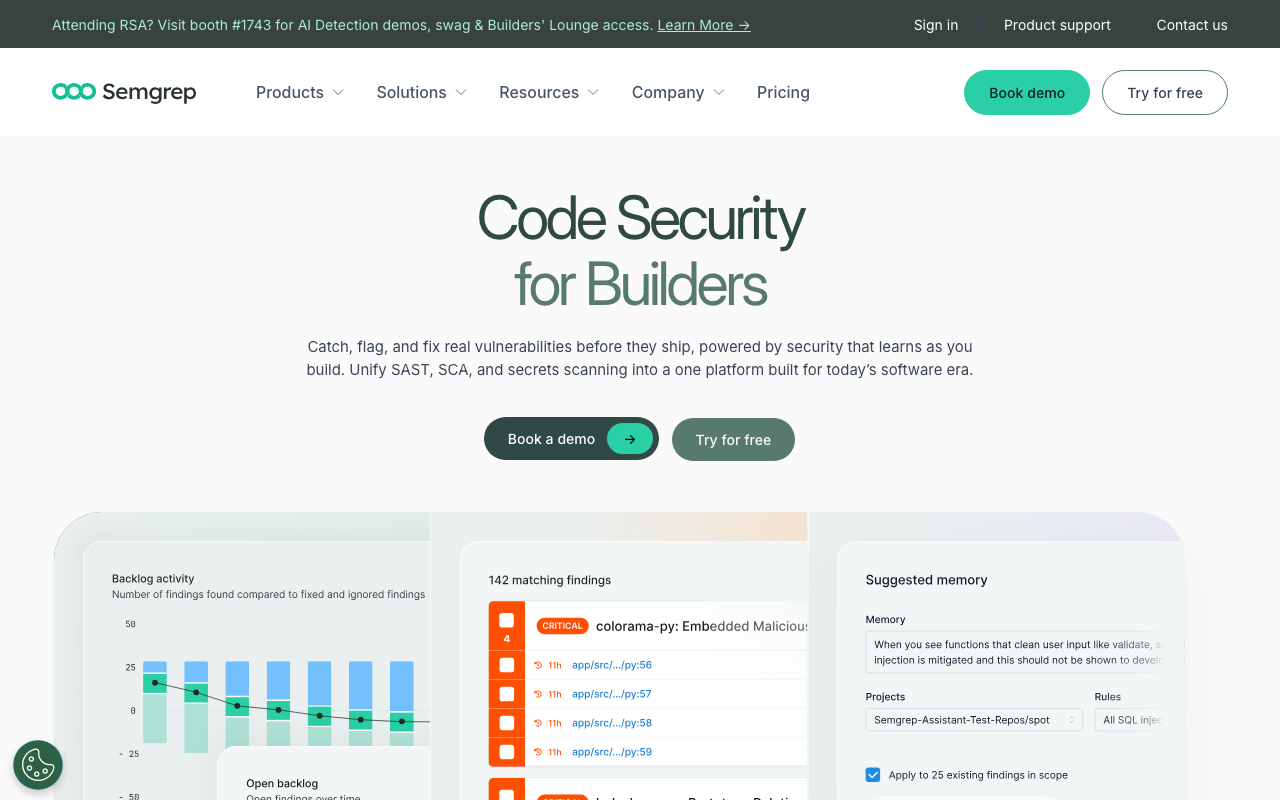
| Dimension | CodeQL | Semgrep |
|---|---|---|
| Analysis model | Full relational semantic database, whole-program dataflow | Syntactic pattern matching plus dataflow |
| Interfile taint | Yes, core capability | Pro engine only. Semgrep CE cannot do interfile |
| Rule authoring difficulty | High. QL is a real declarative language | Low. Rules look like the code they match |
| Engine licence | Proprietary GitHub terms | Open core; Pro engine proprietary |
| Query / rule licence | MIT (github/codeql) | Registry rules largely open |
| Portability | CLI runs anywhere; triage workflow is GitHub-native | Runs anywhere, no host affinity |
| Free tier | Free on public repos | 10 contributors, 10 private repos, 60 AI credits, and cross-file analysis with the Pro engine is listed on all hosted tiers including Free |
| Paid pricing transparency | No published per-committer price (2026-10-19) | Published: Teams Code $30, Supply Chain $30, Secrets $15 per contributor/mo |
| Scan latency | Higher, especially on build-required languages | Lower |
| Language breadth | 12 languages, deep per language | Broader language list, uneven maturity: 20 rulesets GA, 2 beta, 19 experimental; cross-file dataflow in only 8 languages |
| Rule depth variance | Consistent across supported set | 710+ Pro rules for Python versus 170+ for C# |
| Alpine / musl CI | Documented incompatible with non-glibc Linux | Works |
All Semgrep figures verified 2026-10-18; CodeQL figures verified 2026-10-19 unless noted.
The nuance that makes this choice less binary than it looks: Semgrep’s cross-file analysis with the Pro engine is available on all hosted tiers including Free (verified 2026-10-18). So interfile taint is free-as-in-beer from Semgrep at small scale, just never free-as-in-licence. If your constraint is budget, that matters. If your constraint is that your legal team requires an OSI licence for anything in the build, neither tool satisfies it and you should know that before the evaluation starts.
Our head-to-head Semgrep vs CodeQL guide goes deeper on rule-authoring ergonomics, and Semgrep pricing covers the modular billing.
How CodeQL compares to the rest of the SAST field
Snyk Code takes a third path - AI-assisted SAST through its DeepCode engine, with auto-fix suggestions and tight coupling to dependency scanning. It trades CodeQL’s query flexibility for a more turnkey, developer-first experience. Snyk’s model changed in 2026: enterprise is now a prepaid credit platform subscription at 1 credit = $1, with Snyk Code metered at 1.0 credit per active contributor per day, and live caps of Free at 5 projects / 100 Code tests per month, Team at 100 projects / 1,000 tests per month (verified 2026-10-18). Snyk Broker is an outbound tunnel to Snyk’s cloud, not on-premise deployment - worth knowing if that is why you were considering it. See Snyk vs CodeQL and Snyk pricing.
SonarQube is the on-prem alternative where the core SAST engine genuinely runs inside your network. Two precision points: SonarQube Community Build cannot analyze pull requests - Sonar’s docs state Developer Edition is the minimum for branch and PR analysis - and Community Build excludes taint analysis entirely, along with C, C++, Dart, Objective-C, PL/SQL, PowerShell, R, Shell, Swift and T-SQL (verified 2026-10-18). SonarQube Cloud’s free tier does include PR analysis up to 50k LOC on private projects. So “free SonarQube instead of CodeQL” is not a like-for-like swap if taint analysis is what you came for.
Checkmarx is the deepest commercial taint engine for regulated enterprises and the usual CodeQL alternative when the requirement is auditable on-prem analysis. See Checkmarx vs Veracode and best SAST tools 2026.
Does CodeQL replace an AI code reviewer?
Direct answer: No. CodeQL answers one question deterministically - does a path exist from untrusted source to dangerous sink - which is what an auditor wants. An AI reviewer reasons about intent, catching the missing authorization check and the test that asserts nothing. CodeQL is structurally weakest on broken access control, which is where the AI layer is strongest. Run both. Verified 2026-10-19.
What CodeQL structurally cannot catch:
| Gap | Why CodeQL misses it | What covers it |
|---|---|---|
| Security misconfiguration | Config lives outside the scanned code | DAST, IaC scanning |
| Vulnerable dependencies | Known CVEs in third-party packages are a lookup problem | Software composition analysis, Dependabot |
| Broken access control | Whether a missing check is a bug depends on intent | Human review, AI review |
| Business-logic flaws | No source-to-sink shape to query | Human review, AI review |
| Non-deterministic runtime behaviour | Static analysis by definition | DAST, IAST |
CodeRabbit and similar tools catch that second category - logic bugs, missing tests, review-level concerns - and pair well with a dedicated SAST engine running underneath. Note that CodeRabbit itself pairs an LLM with 40-plus open source linters rather than replacing the deterministic layer (verified 2026-10-18), which is the architecture to copy.
Two honest caveats on the AI layer, since this is where comparisons get sloppy:
- No party without a commercial stake has published a false-positive rate, precision figure or noise measurement for any shipping commercial AI code reviewer (checked 2026-10-19). SWE-PRBench and CR-Bench publish false-positive data, but for bare models in fixed harnesses rather than purchasable products.
- Non-determinism is a compliance problem. The same PR reviewed twice can yield different findings. A SOC 2 control asking you to prove the same ruleset ran on every commit is satisfied by CodeQL and not by an LLM. That asymmetry is the strongest practical argument for keeping CodeQL even after buying an AI reviewer. See AI code review for regulated teams.
Common mistakes with CodeQL
- Assuming it needs no build. Seven of the twelve supported languages require build observation, and the scan inherits your build time.
- Running it on Alpine. The CLI is documented as incompatible with non-glibc Linux distributions.
- Enabling full query packs on a mature repo with gating on. Baseline the backlog, gate new alerts.
- Budgeting from headcount. Licences are consumed by active committers over a rolling 90 days, which includes occasional contributors.
- Triggering a required job only on
pull_requestbehind a merge queue. Permanent deadlock. - Expecting to write custom taint queries casually. QL is a specialist skill. If casual rules are the requirement, use Semgrep.
- Treating “free on public repos” as “free”. It is genuinely free there and genuinely licensed on private repos, with no published price.
- Believing CodeQL covers dependencies. It does not. That is a separate product even inside GitHub.
How we verified this
Checked at primary source on 2026-10-19:
codeql.github.com/docs/codeql-overview/supported-languages-and-frameworks/for the full language list, the build-required split, and the version coverage ranges quoted in the language table. Rust appears in the supported set for editions 2021 and 2024 with no beta or preview marker.docs.github.comon GitHub Advanced Security for the split into GitHub Code Security and GitHub Secret Protection, the Team-or-Enterprise plan requirement, and the statement that code scanning and secret scanning are enabled for public repositories by default.docs.github.comon Advanced Security billing for the active-committer definition (“if one of their commits has been pushed to the repository within the last 90 days, regardless of when it was originally authored”) and the metered-versus-volume billing models.docs.github.comon the CodeQL CLI for “The CodeQL CLI is free to use on public repositories”, the private-repository licence requirement, and the documented incompatibility with non-glibc Linux distributions such as musl-based Alpine.github.com/pricing- both Advanced Security products are listed under Additional add-ons with no price. GitHub Team showed $4/user/month for the first 12 months and Enterprise Cloud from $21/user/month for the first 12 months on the same page.- The GitHub API for
github/codeql, which reports licence MIT and 10,211 stars.
Carried from the 2026-10-18 verification pass: Semgrep pricing and limits, Semgrep interfile requiring the Pro engine, Opengrep’s --taint-intrafile parity under LGPL 2.1, Semgrep ruleset maturity counts and per-language rule counts, Snyk’s credit model and caps, Snyk Broker and Semgrep Network Broker being tunnels rather than on-prem, SonarQube Community Build’s PR and taint exclusions, GitHub Actions per-minute pricing, the merge_group deadlock, and CodeRabbit’s 40-plus bundled linters.
What we could not verify:
- The per-active-committer price of GitHub Code Security and GitHub Secret Protection. GitHub does not publish it on its public pricing page as of 2026-10-19. Figures circulating on comparison sites are not traceable to a GitHub page we could open, so we state the absence rather than repeat a number.
- The full CodeQL CLI terms and conditions. The docs page references
securitylab.github.com/tools/codeql/licensefor the complete terms; we did not retrieve that document, so our characterisation of the engine as proprietary rests on the docs’ own framing plus the absence of an OSI licence on the engine. - CodeQL scan durations. The latency characterisations here are reasoning from the documented build-observation requirement, not a controlled benchmark. We did not run one, and no vendor publishes comparable timings.
- No independent benchmark compares CodeQL against Semgrep or any other SAST engine on a shared corpus of real production code, as far as we can establish on 2026-10-19. Vendor-run SAST comparisons exist; independent ones at scale do not.
- No independent false-positive rate has been published for any shipping commercial AI code reviewer.
Disclosure: Gitar is a paid sponsor of aicodereview.cc and was acquired by Sonar - which owns SonarQube, referenced above - in May 2026. Gitar does not ship SAST and is not recommended on this page.
Recommendations
Criteria: do you need interfile taint, who writes your rules, where does your code live, and can you absorb the scan latency.
If your repositories are public: turn CodeQL default setup on today. It is free, the shipped query packs are among the best security rule sets available anywhere, and there is no competing argument.
If you are on GitHub Team or Enterprise with private repos and security is a real requirement: CodeQL through GitHub Code Security is the strongest interfile taint analysis you can buy with the least integration work, because the triage workflow is already in the Security tab your team uses. Get a quote - the price is not published - and model it on active committers over a rolling 90 days rather than headcount.
If you want rules your own engineers will actually write: Semgrep, and it is not close. Published pricing at $30 per contributor per month for Code, rules that read like the code they match, and cross-file analysis with the Pro engine available even on the Free tier. Accept that the interfile capability is proprietary.
If source cannot leave your network and you need auditable taint analysis: SonarQube Developer Edition or above, or Checkmarx. Do not plan on SonarQube Community Build - it cannot analyze pull requests and excludes taint analysis entirely.
If you already run CodeQL and want to close its real gaps: add SCA for dependencies and an AI PR reviewer for broken access control and business logic. Those are the two categories CodeQL structurally cannot reach, and both are cheaper to add than another SAST engine.
What not to do: do not replace CodeQL with an AI reviewer. The non-determinism makes it a weaker compliance gate, and the two tools catch disjoint classes of defect.
Further reading
 Gitar
GitarComments are not enough
Gitar applies the fix, validates it in CI, and clears the queue.
See it on your repo Read our independent Gitar reviewFrequently Asked Questions
What is CodeQL in simple terms?
CodeQL is a static analysis engine from GitHub that treats your source code as a database you can run queries against. Instead of scanning text with regular expressions, it compiles your code into a relational database capturing structure, control flow and data flow, then you write queries in a language called QL to ask questions like whether there is a path where untrusted input reaches a SQL query without sanitization. GitHub ships large libraries of ready-made security queries, so most teams consume CodeQL through GitHub code scanning without ever writing a query themselves.
Is CodeQL free?
The CodeQL CLI is free to use on public repositories, per GitHub's own documentation (verified 2026-10-19). For private repositories it requires a GitHub Code Security licence, which in turn requires a GitHub Team or GitHub Enterprise plan. The query libraries in the github/codeql repository are MIT licensed (verified 2026-10-19 via the GitHub API), but the CLI and engine are not open source - the licence is a GitHub terms-and-conditions document, not an OSI licence. So the queries are open and the engine is not, which is the opposite arrangement from Semgrep.
How much does GitHub Code Security cost per developer?
GitHub does not publish a per-committer price for GitHub Code Security or GitHub Secret Protection on its public pricing page as of 2026-10-19 - both appear under Additional add-ons with a description and no number. What GitHub does document is the billing mechanics: licences are consumed by active committers, where a committer counts as active if one of their commits has been pushed to the repository within the last 90 days regardless of when it was authored. Billing is either metered monthly with no licence cap, or a volume subscription for a fixed licence count over at least a year. Get a quote.
What is the difference between CodeQL and Semgrep?
They trade depth against speed and licence openness, in opposite directions. CodeQL builds a full semantic database and excels at whole-program dataflow queries, which makes it powerful but slower and much steeper to learn - QL is a real declarative language. Semgrep matches patterns against a lighter syntactic and dataflow model, so rules take minutes rather than days to write and scans finish faster. The licence picture inverts: CodeQL's queries are MIT but the engine is proprietary, while Semgrep's engine has an open core but interfile taint analysis requires the proprietary Pro engine. Neither gives you interfile taint under an open source licence.
What languages does CodeQL support?
As of 2026-10-19 CodeQL's documentation lists C and C++, C#, Go, Java, Kotlin, Rust and Swift as languages requiring a build observation, plus GitHub Actions, JavaScript, TypeScript, Python and Ruby as languages analyzable without a build. Rust is listed among the supported set for editions 2021 and 2024 with no beta marker, which is newer than most comparison pages reflect. Version coverage is specific: Java 7 to 26, Go up to 1.27, C# up to 14 on .NET 5 through 10, Python 2.7 and 3.5 to 3.14, TypeScript 2.6 to 7.0, Swift 5.4 to 6.3.
When does CodeQL beat Semgrep?
When you need interfile taint analysis, you already live on GitHub, and your repository is either public or already covered by a GitHub Code Security licence. CodeQL's whole-program dataflow model is the deepest widely available implementation, and it finds the class of vulnerability where the untrusted source and the dangerous sink live in different files and different modules - which is most real injection in a layered codebase. It loses when you are outside GitHub, when you want rules a mid-level engineer can write in an afternoon, or when your constraint is scan latency on a per-PR gate.
Can you run CodeQL on-premise or in a non-GitHub CI system?
Yes, mechanically. The CodeQL CLI runs locally and in any CI system, produces SARIF, and can upload results anywhere that parses SARIF. The practical blockers are licensing and ergonomics rather than technology: private-repository use requires a GitHub Code Security licence, the alert triage and dismissal workflow is built into GitHub's Security tab rather than the CLI, and the CLI is documented as incompatible with non-glibc Linux distributions such as musl-based Alpine, which breaks a lot of slim container CI images. Budget time for a glibc base image if that is your setup.
Does CodeQL replace an AI code reviewer?
No, they catch disjoint classes of problem. CodeQL answers a precise question - does a path exist from an untrusted source to a dangerous sink - deterministically and reproducibly, which is exactly what an audit wants. An AI reviewer reads the diff and reasons about intent, catching the missing authorization check, the misleading function name, the test that asserts nothing. CodeQL is structurally weak on broken access control because whether a missing check is a bug depends on intent it cannot read. Run both: CodeQL as the deterministic security gate, the AI reviewer as the judgement layer on top.
How long does a CodeQL scan take?
Longer than a linter and longer than Semgrep, and the variance is mostly down to whether the language needs a build. Interpreted languages skip database creation from a compiler trace and finish faster. Compiled languages require CodeQL to observe the build, so the scan inherits your full build time and then adds database construction and query execution on top. On a large monorepo this routinely pushes a CodeQL run into the tens of minutes, which is why the common pattern is CodeQL on a schedule plus on pull requests with a language matrix, rather than as a blocking check that every developer waits on.
What does CodeQL miss?
Three categories. Security misconfiguration, because configuration lives outside the code it scans - that is DAST territory. Vulnerable dependencies, because known CVEs in third-party packages are software composition analysis, a separate product even inside GitHub. And broken access control, because deciding whether a missing authorization check is a bug or a deliberately public endpoint requires reading intent. The third gap is the important one: broken access control sits at or near the top of real-world breach causes and it is the category deep static analysis is structurally worst at, which is the strongest argument for pairing CodeQL with human or AI review.
Explore More
Tool Reviews
 Semgrep Review
 Snyk Code Review
 CodeRabbit Review
 GitHub Copilot Code Review Review
 SonarQube Review
 Checkmarx Review
Free Newsletter
Stay ahead with AI dev tools
Weekly insights on AI code review, static analysis, and developer productivity. No spam, unsubscribe anytime.
Join developers getting weekly AI tool insights.
Related Articles
How to Measure AI Code Review False Positives: An Open Protocol
A reproducible protocol for measuring AI code review false positives: taxonomy, PR selection, blind classification and variance. Nobody has run it.
October 18, 2026
guideQodo Merge Pricing: Free vs Pro for PR Reviews in 2026
Qodo Merge pricing verified 2026-10-19 - a flat team fee near $30 a month for up to 30 users, pooled credits at $0.012, and free MIT PR-Agent.
March 4, 2026
guideQodo AI Pricing: Free vs Teams vs Enterprise Plans in 2026
Qodo pricing verified 2026-10-19 - a flat team fee near $30/month for up to 30 users, credits at $0.012 pooled with no rollover, and no free tier.
March 4, 2026